Taking a Break to Organize

Lest you think I’ve forgotten about blogging, we had a wonderful Christmas with a house truly full of people.  This week is all about organizing and cleaning and putting away Christmas and getting ready for the new year.  So, it’ll be a few days before I write again.  Don’t think I’ve forgotten about my blog… I’m definitely still here, and working on some fabulous things I want to share for the new year.

This January, I plan to:
-Share several free 2015 organizer printables
-Share organizing tips and tricks
-Do several posts on beginning sensory bins for your baby (it’s time to start sensory bins for Grayson!  WOW!)
-Begin doing a weekly STEAM activity post
-Give you the info you need to make your own EPIC calendar to gift to the special people in your family next Christmas… I’ve got plans to re-do what we did this year, but it’s gonna be MUCH easier on me because I’m gonna start in January!  You won’t want to miss this:

IMG_0593

This winter/spring I also want to:

-Get Becca actively involved in the gardening process in our flower beds
-Get her into the kitchen more and more to start helping cook dinner
-Start working on setting the table skills with her
-Start reviewing baby sign language with her so that she can help teach Grayson
-Begin a weekly Bible study with her – where we read a story in her Jesus Storybook Bible (aff link) and then do an activity related to that story

In 2015, I also hope to:
-Create more animal activity Biome Boxes for Becca
-Do more experimenting with art
-Find a better way to store toys and puzzles
-Find a better way to organize art supplies

So, yeah, lots running through my head right now.  Gonna take some time off from the blog, and will be back in just a few days with all kinds of fun and ready to hit the ground running for a fabulous 2015!  Be back soon!  In the meantime, make sure you’ve clicked “like” and are following my Facebook page, where I’ll be sharing fabulous articles, links, and activities.  Remember also, Facebook has a weird way of deciding what shows up on your newsfeed, so be sure to visit my page frequently and click “like,” “comment,” or even better, “share” to ensure that my stuff keeps showing up on your newsfeed!

Wonderful Wednesday

Normally on Wednesdays, I post the funny or cute little things Becca has said. This week, I wanted to share a conversation we had this past weekend that warmed my heart. The perfect conversation to share the day before we celebrate our Savior’s birth.

When headed back to our car at the Farmer’s Market Saturday morning, we encountered several nice folks who commented to Becca on how cute she looked. She’d grin and say “Merry Christmas” to each of them. She did look especially adorable in her bouncy ponytail and her big puffy burgundy pink coat and brightly flashing pink and white Minnie Mouse tennis shoes.

But as we turned a corner, I saw someone we couldn’t just walk by. He was an older gentleman, with a long scruffy white beard. His belly had the rounded sagginess of hunger, not of too many Christmas cookies consumed. He was far from Santa Claus, but had his life gone differently, he could have been Santa for the company Christmas party, or for his grandkids. No, instead this old guy was sitting on the metal chair on the outskirts of the band in his floppy dirty shorts and a long sleeved tshirt with holes. His shoes had seen many long hours of walking, and his prosthetic leg was well worn and beaten. He looked desperately cold, as the wind whipped between the buildings and the leaves swirled around him.

We couldn’t just walk right by him. My heart immediately ached for him. He wasn’t begging, just sitting in the chair listening to the music. I looked in our bag, surveying the goods we’d just received, and I stopped Becca. I told her- “You see that man sitting over there? We’re gonna give him some of our cherry tomatoes.” She perked up and said, “Can I give them to him?” I told her, “No, I’ll hand them to him. You hold my hand still, ok? He’s a stranger, so let Mommy talk to him.” She said, “ok.” And we walked up.

I said, “Sir, we’d like to give you a couple of these fresh juicy tomatoes we just bought, if you’d like to have them.” He replied, “oh thank you very much, ma’am!” And took off his partially intact glove to reveal a horribly unmanicured hand. I placed the three largest cherry tomatoes in his hand and said, “Merry Christmas!” He smiled, his teeth telling another sad story of a life gone terribly wrong, and he said, “Thank you, ma’am! Merry Christmas.”

As we walked toward our car, Becca was silent for a couple of long minutes. I said, “That man probably hadn’t had fresh healthy vegetables like that in a long time. I’m glad we could share some of our tomatoes with him.” She was quiet. Then she spoke. “Mommy, that man doesn’t have a coat. I think he’s probly very cold.” “Yes baby, he probably is.” “We don’t have a coat we can give him, do we?” “No, baby, we don’t.” We got into the car, and she was very quiet.

She has recently started understanding something of the concept that God keeps us in his hands, because she frequently will say things like what she said as we drove away: “God will hold him and keep him warm, right, Mommy?” “Yes, sweetheart, I’m sure He will.”

Long minutes and several Christmas songs on the stereo passed before she spoke again. “I hope he likes tomatoes. They are too squirty for me.”

There’s my girl. Always thinking. Sometimes hours or even days later still reflecting on the same topic. I feel sure we haven’t heard the last of her thoughts about the would-be Santa and those three squirty tomatoes.

God bless her sweet little heart for caring so much. As a mom, it makes my heart so warm and fuzzy inside. May we as parents never hesitate to take those moments to teach our children by our actions how to care for God’s creatures- big and small. This Christmas, I’ll be thinking about that man, and praying that God brings someone his way who can give him some better clothes, and that as Becca said, God will hold him close and keep him warm.

/home/wpcom/public_html/wp-content/blogs.dir/33b/48337332/files/2014/12/img_1488.jpg
My girl with her sweet kitty cat, Toodles.

Kindle Fire Apps for Kids and User Tips

Back in October I posted my product review for the the Kindle Fire Kids HD 6… and since receiving ours (the day it was released thanks to early ordering and my Amazon Prime membership), this product has TAKEN OFF!  It may well end up being THE go-to gift for kids for Christmas this year!  Which is absolutely phenomenal.  We certainly love it in our home.

Buy your Fire HD 6 Kids Edition, 6″ HD Display, Wi-Fi, 8 GB, Blue Kid-Proof Case HERE!
(affiliate link, THANK YOU!)

There are hundreds of apps available on FreeTime (aka they are FREE!), but how to select the ones that are right for your kids?  We have now tried LOTS of apps, and several have ended up getting deleted off of her Kindle (it’s super easy to add and delete apps by just finger tapping and holding the app logo) simply because they weren’t right for her.  So, I thought I’d share a list of what has stayed, and why we love them so much!

If you’re giving the gift of a Kindle Fire to one of your kiddos this Christmas, why not take a few minutes to have it set up before you wrap it – so when they open it up on Christmas morning, it’s all ready to go!  You can even go ahead an preprogram your parental settings in there, so they don’t end up spending all day on their Kindle and missing family time. 😉

So I’m going to outline a few of our favs here… and be sure to check out the bottom of this post – where I’ve got tips for using your Kindle Fire Kids HD 6… some lessons that only time and lots and lots of use have taught us!

Please be aware – like in my original post, the photos I’m posting here are my own snaps of the screen – these are not pro photos from Amazon.

Please also note – I have just discovered that just as Kindle frequently ADDS apps to the FreeTime list, they also take them away randomly… so if you go looking for one of these and it’s not there, well, tough cookies.  We just lost two of our favorite apps, but I was able to find several new books… so you win some, you lose some.  A good life lesson for even your youngest Kindle users.

Looking for books that read aloud to your child?  They will be found on FreeTime under the APPS button.  Amazon has just added numerous Dr. Seuss, Berenstain Bears, and Little Critter books in addition to all of the wonderful classics and Sandra Boynton books that have previously been available as readable apps.  Each of these apps is fabulous because it gives the child the option to read it themselves or be read to, and each one has interactive illustrations.

Some of our favorite non-book apps:

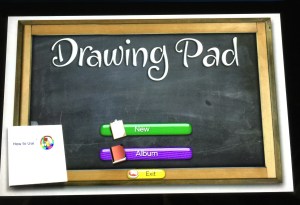
Drawing Pad
IMG_1613IMG_1614IMG_1616

This app provides kids with a variety of mediums (paint, colored pencil, crayon, marker, stamps, and a variety of paper options) to digitally create art – perfect on the road when you can’t ACTUALLY take out magic markers and draw in your lap!  Every color of the rainbow is available simply by finger scrolling through the supply tray.  It’s easy to get back to the main screen, save your art for later, etc.

Kids Preschool Puzzle and Shape Builder – Learning Puzzle GameIMG_1603IMG_1604

We love both of these puzzle apps.  The photos shown are from the Kids Preschool Puzzle App.  Shape Builder is a bit more challenging – because there are no lines drawn to shown the shape of the puzzle pieces.  Both apps will show you the completed picture once you are done.  Perfect for the puzzle lover in your home!

Kids ABC Letters

IMG_1611

IMG_1612

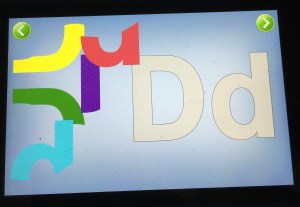
This screen shot of the letter puzzle is just one small part of what this app will do – it’s the “forming letters” section shown on the menu.  You can also fish for letters, simply look at letter flash cards and listen to the sounds the make, or find letters within words.  It’s a great app for kids just learning their letters, or for kids who are beginning to put letter sounds together to read.

Animals’ Matching

IMG_1607
IMG_1608

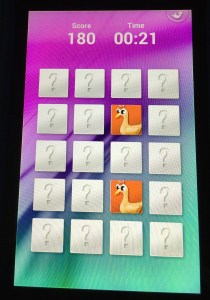
A classic matching game, this app has three different levels of difficulty, and kids can play against the clock to get higher scores.  Easy enough on the easy level for a beginner, or hard enough on the master level to entertain an adult (yes, I’m guilty), this is a super fun one that will keep you thinking.

Kids Numbers and Math

IMG_1609 IMG_1610

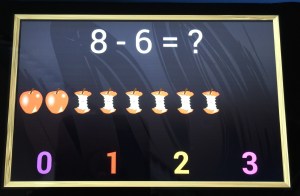
This app is simply perfect for your kiddos – all the way from beginning counting, through multi-step addition/subtraction combos.  Works on numeral recognition, one-to-one correspondence, largest/smallest comparisons of numbers, addition, subtraction, multi-function problems, and number matching.  It’s a fabulous app for introducing the concepts as well.  After doing just a few of the subtraction apple problems (shown above), Becca now has a solid grasp on the concept of subtraction that she is applying in other areas of her life!

Super Why ABC Adventures

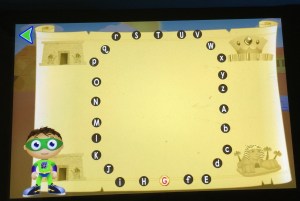
Because this app has SO MANY fabulous features, look below each picture for info about all that your kids can do in this app.  And if it ever goes off of FreeTime, Amazon might find me on their doorstep!
   IMG_1602

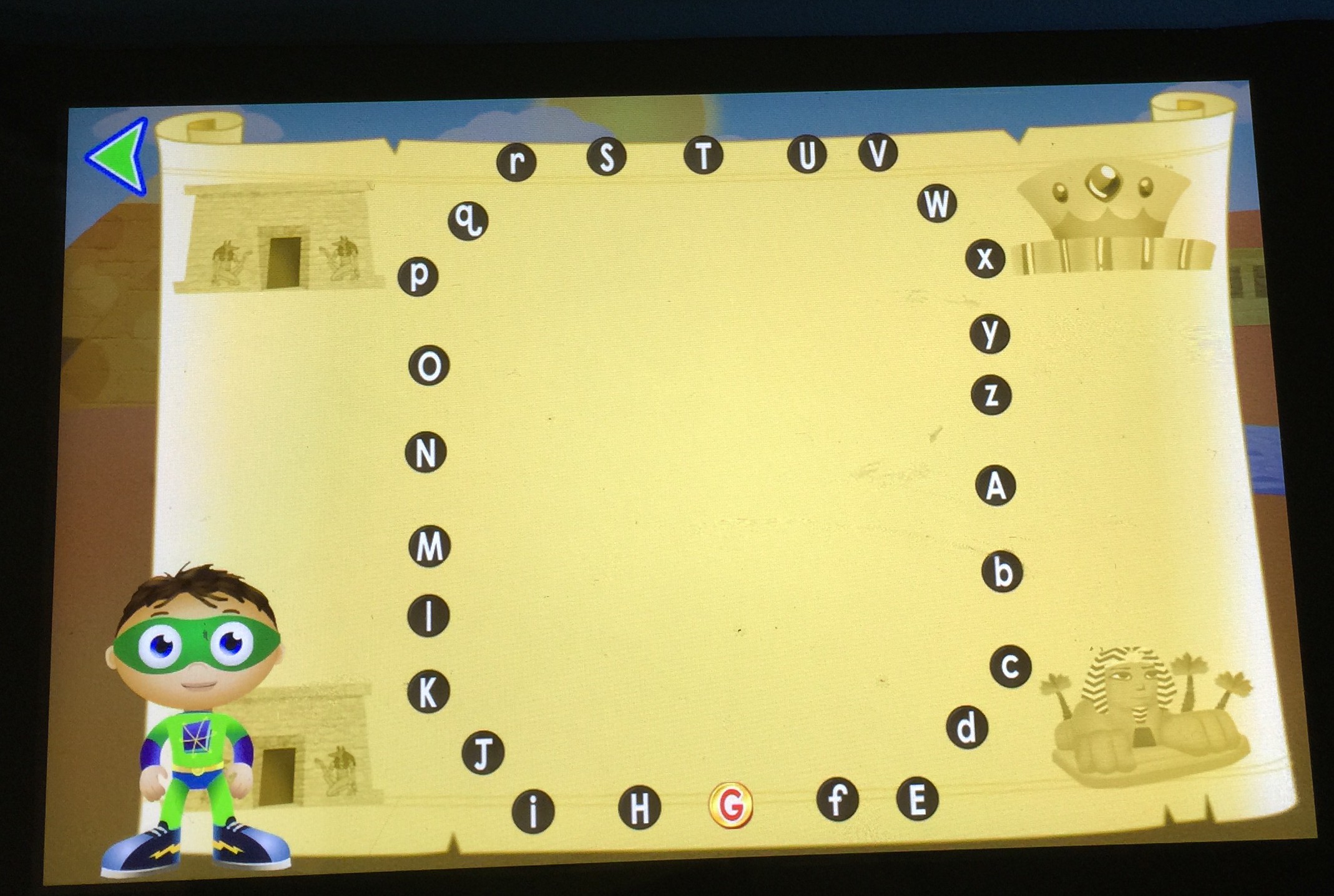
Your kiddos complete alphabet dot-to-dots here to find and collect their treasure.


IMG_1596


Practice proper letter formation by following the dog bones Woofster has laid out.
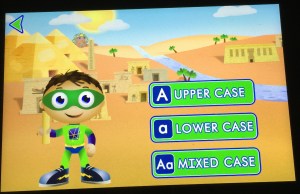
IMG_1601

In each section of the app, your child (or you) can pre-select whether they will work on upper case, lower case, or mixed case letters.


IMG_1600

Help Princess Presto build words by swimming under the sea and finding letters that make the sound she is saying.  Great for listening skills, fine motor of helping her swim under water, and works on word building and sounding out words.
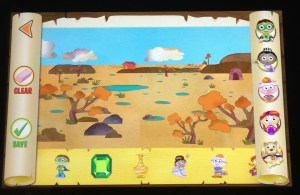
IMG_1599

From the main screen, the map of the world shows a variety of places to visit, and for each one, the habitat is viewed, and stickers can be added to make fun pictures, which can be saved for feature viewing.
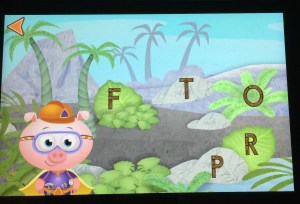
 

IMG_1598

Basic letter recognition game

IMG_1597


This one is fabulous – kids have to find the items that start with the letter shown by listening to the initial sound.  Great thing is, it audibly corrects the child if they select the wrong one, so it’s easy for mom or dad to congratulate or to help from across the room if the child is struggling.

And a super quick plug for our favorite video series (there are lots of your kids favs from tv available) – Creative Galaxy is a video series specifically from Amazon, and it’s a fabulous little show about an alien named Arty, his pet named Epiphany, and his family and friends.  They have to solve problems in every day life by creating art – a gift for a friend, a team shirt, find a lost pet, etc.  It’s really a fabulous show, and I like that in between the episodes (just like on PBS), REAL kids are doing REAL art projects.  We’ve gotten so many fun ideas from watching Arty together.  So, you’ve gotta head on over to the videos page and check out Creative Galaxy.  Super cute.  Two thumbs up.  Becca and Mommy approved. 🙂

KINDLE USER TIPS

As I mentioned in my previous post, there are a few little tweaks that Amazon needs to make to their product.  But hopefully with some tips here, I can help you around them.

1. Running out of memory?  Be sure that when your child isn’t going to use an app or book any more, you click and hold down on the app logo and select “remove from device.”  It’ll still be available in FreeTime, you just won’t have it resident on your machine any more.  Same thing with videos.  Once your child has watched a video, click on it and select to “remove from carousel.”  Also make sure that if you have downloaded a bunch of books to the Reader portion of your Kindle (outside of FreeTime) that you only keep them resident on your machine if you are going to be reading them.  Amazon has a “cloud” that stores all of your books you’ve purchased – they don’t have to be resident on your Kindle unless you want to read them.  So remove from your device books that you aren’t reading to free up space.  Also make sure you aren’t carrying resident any movies or tv shows that you don’t want on there.

2. Running out of battery?  Be sure when you aren’t watching a video or downloading something (aka using the wifi) that you go into airplane mode.  This will save your battery life CONSIDERABLY.  Also be aware that when you plug your Kindle in to the charger, it will turn on.  The screen will go black, but it is STILL TURNED ON.  So when you unplug your Kindle from the charger, be sure to POWER OFF your machine, or you’re sitting there using battery without even realizing it.  Super frustrating, but easy to fix following these simple tips.

3. Can’t find the little house?  This is probably our most frustrating issue.  But I’ve discovered that it’s always going to show up one of these three ways: 1) pull down from the top  2) swipe over from the right 3) tap the center of the screen (when reading a book) So, when Becca can’t figure out how to get the house, I walk her through those three steps, and slowly but surely, she’s getting to where she doesn’t ask for the house any more – she can usually walk through those three steps and get it to show up.  Apple users, beware – this will be your most loathed issue.  There isn’t a home button.

4. Not sure how to switch to the regular Kindle Fire outside of FreeTime?  Boy, this one took me forever and then I felt like such an idiot.  It’s SUPER easy to switch out of your child’s FreeTime profile and over into a different profile for you.  Simply put the Kindle to sleep (by one quick press on the power button) and then wake it up (by pressing the power button again).  Then click on the little profile square that is your child’s profile.  This will give you the option of switching to a different profile.  Type in your little numerical password you’ve set up, and there you go!  Simple to switch back – just do that again, put it to sleep, wake it up, and click on your profile square in the top left corner.

Have more questions about the Kindle Fire Kids HD 6?  I’m happy to help any way I can!  I do not work for Amazon (though I am a member of their affiliate links program, they have not paid me for this review), but I am happy to help.

Candy Cane Science Experiment

When I was teaching, I remember one of my coworkers who taught 3rd grade doing this super fun experiment with her kids the day before Christmas break each year, and I thought I’d pull it out for Becca.  We had a blast together.


Here’s what you’ll need:
IMG_1575

4 clear plastic cups
Sharpee marker
3 cups HOT water (I microwaved for 2 mins)
1 tsp salt
1 tsp baking soda
1 cup vinegar
4 small candy canes
Paper to record your findings

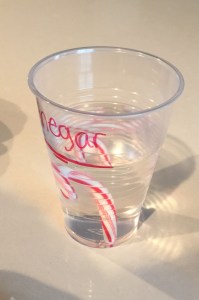
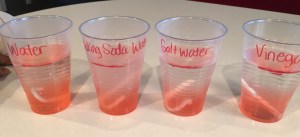
As you can see, I labeled our cups, and drew a line where I had figured out 1 cup would be – so they’d all be equal.  We poured our hot water into the three water cups, and stirred to dissolve the salt and the baking soda.  Added our vinegar to the vinegar cup, then Becca did a quick taste of each candy cane to ensure authenticity and uniformity in our experiment.  She said they were all real. 😉  Then, we dropped one in each cup and began to observe.

IMG_1576IMG_1577

Here’s what we found… see what you find!  This would be really fun to do with red and white candy canes, and then do another set with candy canes of different colors to see how different colors react.

Initial observations:
Water had the most bubbles instantly.
Baking Soda Water turned the pink the fastest and left no red on the candy cane within one minute.
The vinegar had a definite divide between the pink liquid and clear liquid – the pink didn’t float up past the top of the candy cane.
The salt water seemed to have the most pink dispersed throughout the cup.IMG_1579

Ten minutes later:
The candy cane in the water was totally gone.
The candy cane in the baking soda was totally gone.
The candy cane in the salt water was mostly gone – Becca predicted it’d be all gone in 4 minutes (she was right!)
The candy cane in the vinegar was just a thin white piece – she predicted it’d be all gone in 6 minutes (she was right!)

IMG_1588

Two hours later:
All cups have a higher concentration of pink at the bottom than at the top, but the baking soda and plain water have some pink throughout.  The salt water has pink settled only at the bottom, and the vinegar has pink only at the bottom.


The Gift of Giving

It’s something all parents (I’d hope, anyway) want their kids to be able to do – to give.  To give of themselves, to give things they love, to give to people they love, and to give to people they’ve never even met.  But how do you start teaching and nurturing that gift in your child?  And when?  I think the answer to when, and maybe even how, varies by child.  But here’s what I did with Becca this year that seems to have started planting the seed.

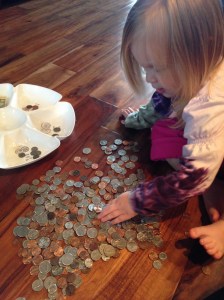
She’s super into money – sorting coins is really fun for her.  She doesn’t really understand or remember the values of the coins, but she understands the concept of what it’s for, and that it all adds up to equal stuff purchased at the store.  Before she was born, we were given a large piggy bank for her, and over time, the coins (and a few stray $1 bills) have added up.  We dump loose change into her piggy bank (and now her brother’s as well) randomly.  So, I got out her coin sorting tray one day, and we dumped her piggy bank contents out on the floor.  She was super excited to help me sort, and decided she would find all the pennies, and leave the silver ones for Mommy.  That’s fine.  We had fun with the activity, and it was great fine motor practice for her too – picking up and sorting through all those coins.

IMG_0416IMG_0420

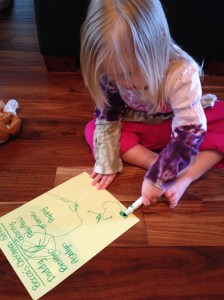
Then, we sat down and made a list of all the people she would like to buy a gift for for Christmas.  She thought of most of the people on her own, though she did have prompting for a couple of them.

IMG_0422

The next day, we went to Dollar Tree on a mission.  She had her list in hand, and we talked very seriously before we got out of the car about what the expectations were for this trip.  We weren’t there to buy things for her.  We were there to buy specifically for the people on her list.  She had a bag of quarters (and a few $1 bills) to cover her gifts and the tax.  We also took three extra dollars just in case she thought of someone last minute, and also so that she would have to count out the money to the cashier.

She did a fabulous job.  She got a bit “grabby” a couple of times, and I had to remind her to allow ME to take the items off the shelf for her.  But I was super impressed with her thoughtfulness.  She’s a very deep thinker anyway, so it was the perfect place for her to stop and think about what each person on her list would enjoy.  A game for a friend, a craft for another, a candle for one family member, an airplane puzzle for another.  A sudoku book, a little stuffed animal, she had a thoughtful reason for each and every gift she selected.  And then we got to the checkout, and she was so proud to tell the cashier she was spending HER money to buy gifts.  We had the bag of quarters pre-counted, so I handed the cashier the bag and said “This is $7.  She’ll count the rest of it for you.”  We had practiced at home, so she knew to start with $8 in her counting.  She counted out the $1’s and I handed each $1 to the cashier as she counted it.  She was excited that she got to keep some, too.  (I hadn’t told her I brought extra.)IMG_0454

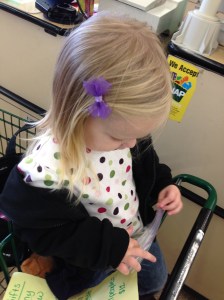
Here she is opening her bag to get her $1 bills out to count them.

She was SO proud of her receipt showing she had bought presents with her very own money.

IMG_0460

When it came time to wrap, I had her help me wrap the presents that were going to my family in Tulsa for Thanksgiving.  I’ll be perfectly honest and say that having her help wrap was very stressful for both of us.  She did enjoy having me help her write on the little labels, and sticking them on the packages.  She was so happy on Thanksgiving (“Thanksmas”) morning to get to give her gifts to Granny, PawPaw, and Daddy!

IMG_0839IMG_0840IMG_0844

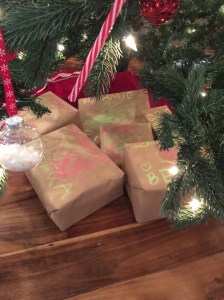
Since we learned from the first wrapping experience, I decided to do something totally different for the rest of her gifts.  The two for friends, we put in gift bags.  The gifts for family, I wrapped (while she watched) in brown paper, and then she used wet chalks to decorate the boxes.  I helped her write who they were to and her name, and then we put them under our tree.  She is so excited about having her gifts for family under the tree!!  And I know she’ll be really excited about giving them as well.  IMG_1525IMG_1526

There is nothing like seeing the excitement on your child’s face as she eagerly anticipates Christmas morning… but there’s really nothing in the world like knowing that a lot of that excitement is about GIVING her gifts that she bought.  Because THAT is what Christmas is all about – remembering God’s Gift to us, and giving our gifts to others.

         IMG_1527