The Farmer’s Market – 2 More Ways To Play

farmer's market

You might be wondering what on Earth I’m doing talking about our Farmer’s Market set again (for the millionth time between the blog and my FB page), and what on Earth does it have to do with SPD… maybe I just mis-categorized it, right?  WRONG!  Check this out, ya’ll.

Becca is constantly playing with our Farmer’s Market Set (affiliate link, thank you!), and Grayson is too.  But today on her own she said she wanted to do something different.  This first game was totally her idea.  She got one of her brother’s baby food spoons and carefully practiced picking up each fruit/veggie with the spoon and carrying it to the correct color bucket before dropping it in!  She was so serious and concentrated the whole time!  I was really impressed!

Then, when she got tired of that, she threw the fruits and veggies EVERYWHERE.  Ugh.  So I made a game out of cleaning up, and she actually played it about 4 times!  We’d throw all the fruits and veggies out all over the foyer/dining room.  Then I’d hand her a random color bucket, she would read me the color name, and then I’d start counting down from 10 to 0.  She was racing around like a cute lil chicken with it’s head cut off!  Going nuts!  She was soo excited!  HA!

We had so much fun with these two simple made up games, that I knew I had to share them with you.  They were perfect to get her calm and centered, and then to let her run around and bend over and back up over and over in a quick period of time.  Her need for proprioceptive input is so great, and often leads her her getting in “trouble” because she just can’t control her body’s need for activity.  So racing around to pick up all of one color was an awesome input for her, and her brain had to really stop and think about what color she was picking up.  She forgot a couple of times and had to look down and read the bucket again.

So, if you’re looking for a way to occupy kids on a rainy day, or simply a way to keep your “seeker” fully engaged, these are a couple of really fun activities.  Truly, this set should be on every toddler/preschooler/early elementary schooler’s list for Christmas!!

Let me know if you have any questions – I’m happy to help! 🙂

The DoSeum – A Mom’s Look Inside

This is not an affiliate post – it’s just the honest opinions of a mom who is an annual member of the DoSeum and has visited on MULTIPLE occasions.

DoSeum


This post has been a long time coming… I believe we’ve been to the DoSeum now about ten times.  I consider myself to be well educated on the ins and outs… so here goes!

We’ll get the negatives out of the way real quick – auto flush toilets in a children’s museum are just a crazily stupid idea.  LOTS, maybe even MOST kids are freaked out by auto flush toilets.  Bad choice.  And then there’s the workability of the exhibits.  They’ve been open only since June 1st and in two months time there are already multiple issues with exhibits not functioning properly (for example one of the computer touch screen check-out booths in the Little Town HEB wasn’t working this morning, causing lots of frustration).  But that’s it.  That’s all I’ve got for you in the way of negatives.

So now – for all the things I love love love about the DoSeum!  Let me just start with walking in.  The funhouse mirrors are just that – super fun.  Giggles always start our visit off on the right foot.  I love that there are so many different areas for us to explore – I plan our visit each day so that we explore one specific area, but we always enjoy the front – the mirrors, the pulleys, the big interactive video screen, the wind tunnel (Becca LOVES putting on the butterfly wings and “flying”!!), and the Kaleidoscope.

I love that there are lots of tables both inside and out to eat – and that while we have the option of purchasing food, we can bring our own food.  (Have I mentioned what a picky eater I’m raising… she thinks that going to the DoSeum MEANS eating peanut butter crackers she’s made herself and fruit packed in her lil lunch box.)  Hand washing stations at various heights are readily available as well.

There are two huge outside play stations.  We have not yet played in the sand (my kids honestly don’t know that area exists b/c I have a thing about sand + water + my car…), but they have really enjoyed the water fountain and little river.  They are anxiously awaiting the opening of the giant treehouse (which I think is totally amazing – it’s constructed for handicapped children to be able to join in the play, too with fabulous wide ramps all the way up!!!), and I know they’ll love playing in there as well.

The other outside play station has a giant spider web, log pile, obstacle course that ends in a giant slide, and… a huge water play area.  With water wheels and plenty of places to experiment with the various ways that water moves, it’s just a simply amazing out door play space, perfect for any explorer – from just a few months old to the oldest visitors.

Which is where I’ll pause – Cody and I LOVED our date night – #ReDoRecess, they called it, or #NightAtTheDoSeum – a night just for kids ages 21+ – where we got to have the run of the place!  We had a blast playing all over the place for a couple hours, and are looking forward to the next adults only event!
11811572_1667181053497185_5065488900645456456_nHere we are sitting in one of the incredible outdoor chairs, made from a huge old gnarly tree!  There was plenty of room for both of us!

Taking a step back inside, we explored the spy academy on our date night, and determined that for older kiddos with an extreme interest in spy stuff, and the attention span to go with it, this is an absolutely incredible area!  Perfect for your upper elementary and middle school students, or even older, there are so many activities to do, you could easily spend a couple of hours just inside the spy academy!

Becca’s got a couple of favorite areas, but one of them is definitely the little town.  When we go with our babysitter, we split up – she follows Becca, and I go with Grayson to the baby area.  Then we switch.  Because following Becca around is dizzying!  I love the fact that there is a DoSeum employee at the entrance to this area, so that if she does happen to get away, she’s not going to go far – she can’t leave that area without an adult.  I’ve also been impressed that every time we’ve gone in, the attendant has made an effort to really match us up in his/her mind and also stands next to the strollers and sees which one is ours.  Just that little added sense of security that I really appreciate.  Inside the little town, everything is on a little kid scale – a fabulous grocery store, a trolley, a bank, a restaurant, vet office, construction site, car wash, post office, and airport complete with a boardable/”flyable” airplane that even has luggage and a “TSA” security station!  As a mom, I appreciate all that she learns about the various occupations, and I also appreciate the fact that there are employees and volunteers constantly walking the floor and putting things back in place (esp in the grocery store and restaurant) so that new kids coming to that area can find what they need.  I also love love love the garden in the center for babies.  It’s gated, and has lots of fun sensory activities on the wall, balls and soft toys to play with, etc.  All in all, the little town is fabulous!!

At date night we explored the light and sound area.  We haven’t taken Becca there yet because of her sensory issues with auditory defensiveness and also her extreme overexcitabilities regarding low lighting.  We both had a blast in there, and think she’ll really enjoy the shadow play and light table activities.  We’re looking forward to bringing her to one of the sensory evenings that they have for kids with ASD, SPD, and other sensory issues.  Get this, parents – they have sensory evenings where they provide headphones/earplugs, sunglasses, and have special signage to warn adults about sensory issues that might be found in certain areas.  Lighting is different for these nights (not as dark), and everything caters to our kiddos who have special sensory needs!!!  Isn’t that just amazing?  It’s finally a museum that truly caters to ALL of our kids!

We briefly visited the “Imagine It!” area with Becca, but she wasn’t fond of the sounds there – again, this would be a great place for her on sensory night – but she did go nuts when she saw the room FILLED with books.  Pretty sure she would live in that room if she could!  She’s also enjoyed using the story starter prompts to tell stories, etc.  Definitely so much there for aspiring writers to enjoy!!

And ya’ll, that’s just the downstairs!!!  Seriously – there’s a whole second story!  The engineering section upstairs is just amazing.  Places to build with all kinds of different materials, to test out different materials to see how to make them fly, etc.  And then there’s what Becca calls the “Ball Room” – where balls shoot through tunnels of air directed by different knobs and levers that the kids can adjust.  It can be a super high action, rockin’ place.  I chose to stand by the door (it’s a small enclosed space, which is FABULOUS!) so that she can run and explore and always knows exactly where I am.  She can’t leave without me, and has a tiny tad of freedom to play til her heart’s content.

Also upstairs is a huge social studies area where kids can build mini cities, practice putting a giant foam US puzzle together, learn about energy usage in homes, and explore various info about the continents of our world and view different globes.

Did I mention there’s a set of stairs that make noises when you step on them?  Oh – and a separate glassed in baby play room that’s just for babies?  Impressed doesn’t even begin to cover it.  Glad to be annual members?  Oh yeah.

I’m just not sure what I’m gonna do once school starts and my 12 yr old set of wonderful, helpful hands is back in school and can’t come with us every week to help me wrangle my two lil Explorers!!  (Oh – and get this – I was able to add her to our family annual pass for just $15… and it’s only $11 for a one day admission… talk about a fabulous deal!  We’ve been pretty much every week this summer!)

Ready to plan your visit?  Check out their website here: http://www.thedoseum.org  You won’t regret it!

#BreakYouMake

From the Heart titleI recently heard about Chobani’s #BreakYouMake promotion- asking folks to tell the world about a friend of mine who needs a break… And could use some Chobani Flips in their life.

My first thought was wow what an awesome idea!  My second thought was… I’m not fond of Greek yogurt.  But the idea of the Flip intrigued me, because I do enjoy parfaits.  So I decided to try the Flips before making any commitments.  And, well…

chobani
I’m hooked!!!  I seriously LOVE these things!  I love the crunch of the add-ins and the fresh, fun flavors that are perfect for breakfast, snack, or even dessert.  
I didn’t have to think more than about two seconds to know who of my friends would not only most love the Flips, but also to think about who most needs a break right now.
You know those days that Mama said would happen?  Try linking those all together into a really tough year.  A year where seemingly nothing goes your way.  From moving and the door on the freezer gets broken (and the company subsequntly sending the wrong replacement part two or three different times to the tune of -$200 a pop), to Internet service randomly shut off for no reason, to numerous personal things I would never betray on the www, my dear sweet friend who is an amazing mom, an awesome nurse, and probably the strongest woman I know has been through quite a year.  If anyone deserves to jet away to a tropical island on her two minute break while on her nursing rounds, it’s Johannah.
Not only is she working long twelve hour shifts three or four days a week, she’s supporting her two teenagers in their sports and all the while working out herself in an attempt to become a healthier mom.  What a better snack for someone striving to eat healthy than Chobani Flip?  I love that they are high in protein and fabulous in flavor and come in some really great varieties to please any tastebud.  I know if she was to win some free Chobani Flip yogurt she would FLIP… And be super excited about the healthy break SHE could make while at work or on the go!
IMG_2237
So here’s to my Super Mom-Nurse-Friend… Hoping Chobani Flips… For you!  Love ya!blog signature
Want to nomiate one of your friends?  Find out more about the #BreakYouMake project here on the Chobani website!  And find out more about the Chobani Flip yogurt here!

Kindle Fire Apps for Kids and User Tips

Back in October I posted my product review for the the Kindle Fire Kids HD 6… and since receiving ours (the day it was released thanks to early ordering and my Amazon Prime membership), this product has TAKEN OFF!  It may well end up being THE go-to gift for kids for Christmas this year!  Which is absolutely phenomenal.  We certainly love it in our home.

Buy your Fire HD 6 Kids Edition, 6″ HD Display, Wi-Fi, 8 GB, Blue Kid-Proof Case HERE!
(affiliate link, THANK YOU!)

There are hundreds of apps available on FreeTime (aka they are FREE!), but how to select the ones that are right for your kids?  We have now tried LOTS of apps, and several have ended up getting deleted off of her Kindle (it’s super easy to add and delete apps by just finger tapping and holding the app logo) simply because they weren’t right for her.  So, I thought I’d share a list of what has stayed, and why we love them so much!

If you’re giving the gift of a Kindle Fire to one of your kiddos this Christmas, why not take a few minutes to have it set up before you wrap it – so when they open it up on Christmas morning, it’s all ready to go!  You can even go ahead an preprogram your parental settings in there, so they don’t end up spending all day on their Kindle and missing family time. 😉

So I’m going to outline a few of our favs here… and be sure to check out the bottom of this post – where I’ve got tips for using your Kindle Fire Kids HD 6… some lessons that only time and lots and lots of use have taught us!

Please be aware – like in my original post, the photos I’m posting here are my own snaps of the screen – these are not pro photos from Amazon.

Please also note – I have just discovered that just as Kindle frequently ADDS apps to the FreeTime list, they also take them away randomly… so if you go looking for one of these and it’s not there, well, tough cookies.  We just lost two of our favorite apps, but I was able to find several new books… so you win some, you lose some.  A good life lesson for even your youngest Kindle users.

Looking for books that read aloud to your child?  They will be found on FreeTime under the APPS button.  Amazon has just added numerous Dr. Seuss, Berenstain Bears, and Little Critter books in addition to all of the wonderful classics and Sandra Boynton books that have previously been available as readable apps.  Each of these apps is fabulous because it gives the child the option to read it themselves or be read to, and each one has interactive illustrations.

Some of our favorite non-book apps:

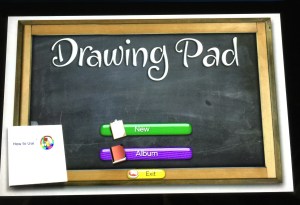
Drawing Pad
IMG_1613IMG_1614IMG_1616

This app provides kids with a variety of mediums (paint, colored pencil, crayon, marker, stamps, and a variety of paper options) to digitally create art – perfect on the road when you can’t ACTUALLY take out magic markers and draw in your lap!  Every color of the rainbow is available simply by finger scrolling through the supply tray.  It’s easy to get back to the main screen, save your art for later, etc.

Kids Preschool Puzzle and Shape Builder – Learning Puzzle GameIMG_1603IMG_1604

We love both of these puzzle apps.  The photos shown are from the Kids Preschool Puzzle App.  Shape Builder is a bit more challenging – because there are no lines drawn to shown the shape of the puzzle pieces.  Both apps will show you the completed picture once you are done.  Perfect for the puzzle lover in your home!

Kids ABC Letters

IMG_1611

IMG_1612

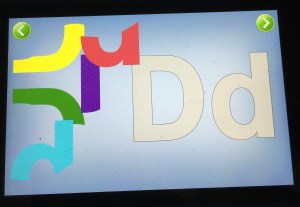
This screen shot of the letter puzzle is just one small part of what this app will do – it’s the “forming letters” section shown on the menu.  You can also fish for letters, simply look at letter flash cards and listen to the sounds the make, or find letters within words.  It’s a great app for kids just learning their letters, or for kids who are beginning to put letter sounds together to read.

Animals’ Matching

IMG_1607
IMG_1608

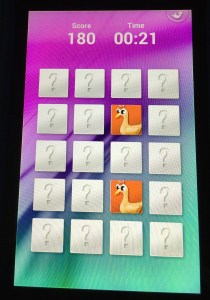
A classic matching game, this app has three different levels of difficulty, and kids can play against the clock to get higher scores.  Easy enough on the easy level for a beginner, or hard enough on the master level to entertain an adult (yes, I’m guilty), this is a super fun one that will keep you thinking.

Kids Numbers and Math

IMG_1609 IMG_1610

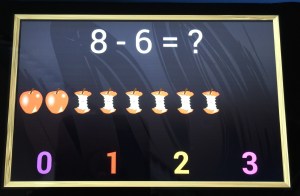
This app is simply perfect for your kiddos – all the way from beginning counting, through multi-step addition/subtraction combos.  Works on numeral recognition, one-to-one correspondence, largest/smallest comparisons of numbers, addition, subtraction, multi-function problems, and number matching.  It’s a fabulous app for introducing the concepts as well.  After doing just a few of the subtraction apple problems (shown above), Becca now has a solid grasp on the concept of subtraction that she is applying in other areas of her life!

Super Why ABC Adventures

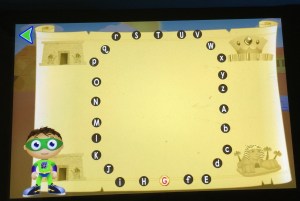
Because this app has SO MANY fabulous features, look below each picture for info about all that your kids can do in this app.  And if it ever goes off of FreeTime, Amazon might find me on their doorstep!
   IMG_1602

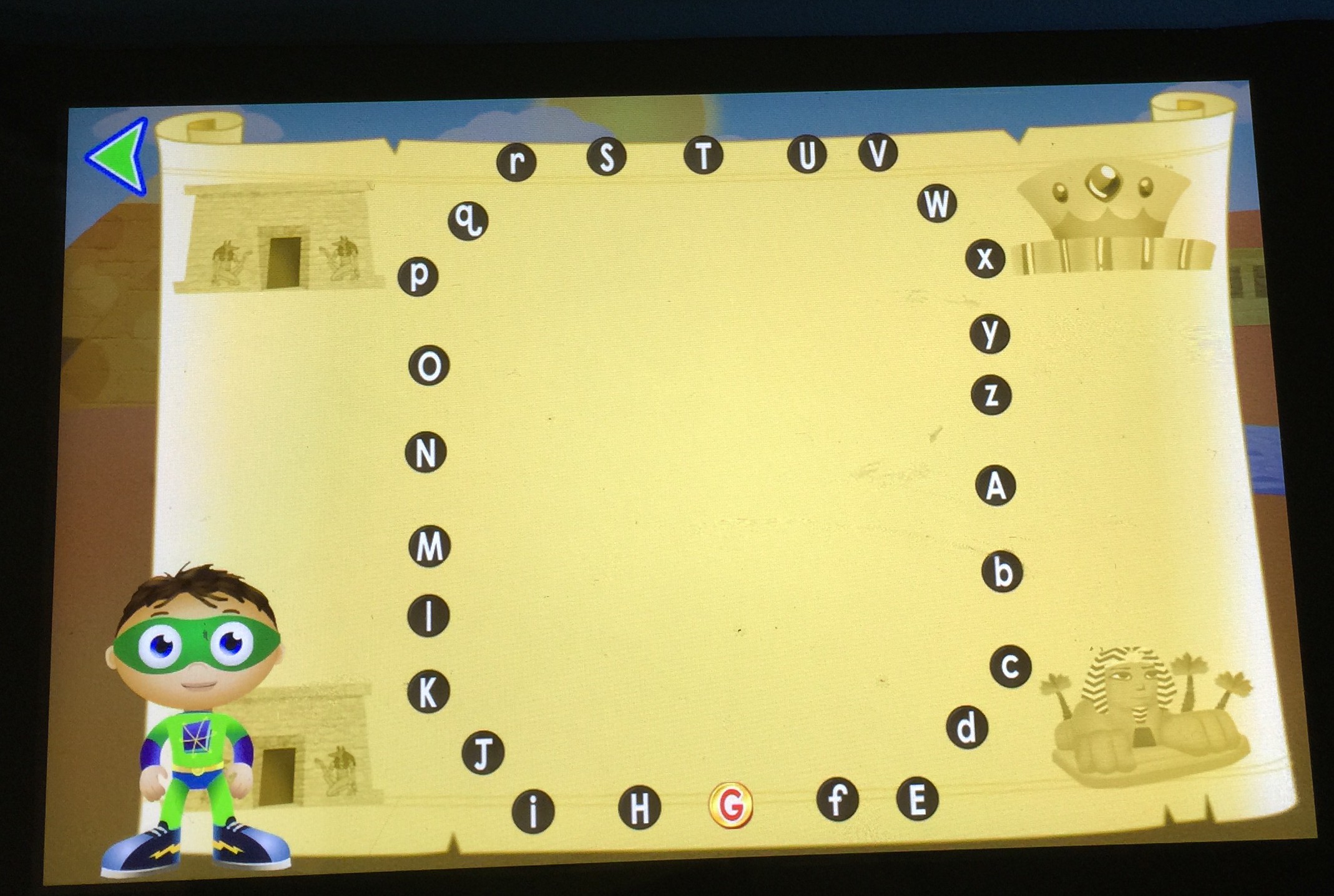
Your kiddos complete alphabet dot-to-dots here to find and collect their treasure.


IMG_1596


Practice proper letter formation by following the dog bones Woofster has laid out.
IMG_1601

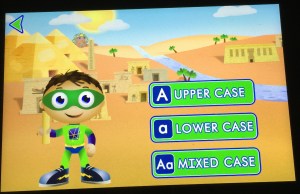
In each section of the app, your child (or you) can pre-select whether they will work on upper case, lower case, or mixed case letters.


IMG_1600

Help Princess Presto build words by swimming under the sea and finding letters that make the sound she is saying.  Great for listening skills, fine motor of helping her swim under water, and works on word building and sounding out words.
IMG_1599

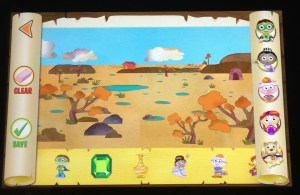
From the main screen, the map of the world shows a variety of places to visit, and for each one, the habitat is viewed, and stickers can be added to make fun pictures, which can be saved for feature viewing.
 

IMG_1598

Basic letter recognition game

IMG_1597


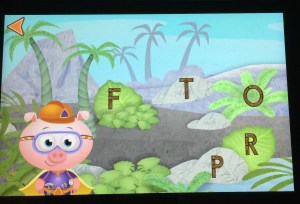
This one is fabulous – kids have to find the items that start with the letter shown by listening to the initial sound.  Great thing is, it audibly corrects the child if they select the wrong one, so it’s easy for mom or dad to congratulate or to help from across the room if the child is struggling.

And a super quick plug for our favorite video series (there are lots of your kids favs from tv available) – Creative Galaxy is a video series specifically from Amazon, and it’s a fabulous little show about an alien named Arty, his pet named Epiphany, and his family and friends.  They have to solve problems in every day life by creating art – a gift for a friend, a team shirt, find a lost pet, etc.  It’s really a fabulous show, and I like that in between the episodes (just like on PBS), REAL kids are doing REAL art projects.  We’ve gotten so many fun ideas from watching Arty together.  So, you’ve gotta head on over to the videos page and check out Creative Galaxy.  Super cute.  Two thumbs up.  Becca and Mommy approved. 🙂

KINDLE USER TIPS

As I mentioned in my previous post, there are a few little tweaks that Amazon needs to make to their product.  But hopefully with some tips here, I can help you around them.

1. Running out of memory?  Be sure that when your child isn’t going to use an app or book any more, you click and hold down on the app logo and select “remove from device.”  It’ll still be available in FreeTime, you just won’t have it resident on your machine any more.  Same thing with videos.  Once your child has watched a video, click on it and select to “remove from carousel.”  Also make sure that if you have downloaded a bunch of books to the Reader portion of your Kindle (outside of FreeTime) that you only keep them resident on your machine if you are going to be reading them.  Amazon has a “cloud” that stores all of your books you’ve purchased – they don’t have to be resident on your Kindle unless you want to read them.  So remove from your device books that you aren’t reading to free up space.  Also make sure you aren’t carrying resident any movies or tv shows that you don’t want on there.

2. Running out of battery?  Be sure when you aren’t watching a video or downloading something (aka using the wifi) that you go into airplane mode.  This will save your battery life CONSIDERABLY.  Also be aware that when you plug your Kindle in to the charger, it will turn on.  The screen will go black, but it is STILL TURNED ON.  So when you unplug your Kindle from the charger, be sure to POWER OFF your machine, or you’re sitting there using battery without even realizing it.  Super frustrating, but easy to fix following these simple tips.

3. Can’t find the little house?  This is probably our most frustrating issue.  But I’ve discovered that it’s always going to show up one of these three ways: 1) pull down from the top  2) swipe over from the right 3) tap the center of the screen (when reading a book) So, when Becca can’t figure out how to get the house, I walk her through those three steps, and slowly but surely, she’s getting to where she doesn’t ask for the house any more – she can usually walk through those three steps and get it to show up.  Apple users, beware – this will be your most loathed issue.  There isn’t a home button.

4. Not sure how to switch to the regular Kindle Fire outside of FreeTime?  Boy, this one took me forever and then I felt like such an idiot.  It’s SUPER easy to switch out of your child’s FreeTime profile and over into a different profile for you.  Simply put the Kindle to sleep (by one quick press on the power button) and then wake it up (by pressing the power button again).  Then click on the little profile square that is your child’s profile.  This will give you the option of switching to a different profile.  Type in your little numerical password you’ve set up, and there you go!  Simple to switch back – just do that again, put it to sleep, wake it up, and click on your profile square in the top left corner.

Have more questions about the Kindle Fire Kids HD 6?  I’m happy to help any way I can!  I do not work for Amazon (though I am a member of their affiliate links program, they have not paid me for this review), but I am happy to help.