Kindle Fire HD for Kids – Product Review

Travel Tip Tuesday

This post contains affiliate links – thank you for your participation!
Pardon my screen shots – these are NOT formal photos from Amazon – they are my own pictures taken of the screen.

This week, as promised, I’m providing a product review of the kid’s version of the new Amazon Kindle Fire.  After having used it with Becca in the car a few times now, I’m really pleased to say that it’s a wonderful product – and definitely makes it on my list of “travel must haves” for kids!  Still a few kinks we need to personally work out… but here are my thoughts for you.

IMG_9811

Here’s the product we purchased: Fire HD 6 Kids Edition, 6″ HD Display, Wi-Fi, 8 GB, Blue Kid-Proof Case (available in blue, green, and pink)
Here’s the link to the screen protectors we purchased (they don’t come with the Kindle, and I feel like they are really necessary): Clear Screen Protector Kit (3-Pack) for Fire HD 6 (4th Generation)
And here’s the link to the kid headphones we purchased to go with it: HeadFoams Headphones for Kids, Purple  (available in blue, orange, and purple)  Note – she doesn’t like to wear any headphones on her head yet.  Still gotta work on practicing wearing them and getting them to fit exactly right before any long drives in the car… it drives me nuts to hear songs on her Kindle mixing with my songs on the radio… But we selected THESE headphones because of their durability and the fact that they are made for kids – they have a decibel setting that doesn’t allow them to be turned too loud for kid’s ears!!!

IMG_0055

What we like about the Kindle so far:

  • It’s relatively easy to figure out how to set it all up – you’ll just need your Amazon log-in and password, and your wifi log-in and password.
  • With Amazon FreeTime included, it’s super easy to search through thousands of books, apps, and videos that are free to download for your kiddos.
  • It’s easy to add Kindle books you already own to the Kindle, or to purchase titles that you want for your kids that aren’t included in FreeTime
  • FreeTime includes LOTS of nonfiction books, including some nonfiction easy readers that have fabulous pictures!
  • I love how easy it is for her to use and flip between apps and such – it’s great for the car, airplane, or train because you don’t have to be available every two seconds to “fix it”!!  (Note: there IS a learning curve to it, as with anything – and we still do some “fix it” stuff when she gets stuck, but it’s nothing like the every two seconds when she would use my phone and then want to switch to a different app, and I had to worry about what else she might get into or end up buying!)IMG_9939
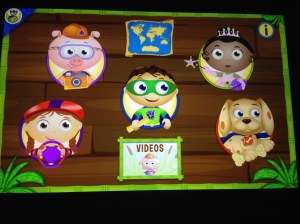
  • The SuperWhy app is fabulous – games that encourage lots of different alpha/reading skills, and apparently it’s easy to navigate because Becca flips around in it like it’s no big deal.
IMG_0053

  • I love that there are several Sandra Boynton apps for kids – where the illustrations are interactive, and the book is read to them.

IMG_0054

  • I can put all of the books, apps, and videos that I want her to have access to on the home screen, and that’s enough for her to do that she hasn’t even clicked on the other options where she could go and download things herself.IMG_9918
  • IF she does try to download something, it’s only something that is available for FreeTime (aka doesn’t cost anything – FreeTime is included the first year) and is kid-safe.
  • The carousel at the top shows what has been opened – in most recent order – so it’s easy for me to look and see what she’s been looking at.  It’s also easy for me to remove items from the carousel – so I if I want the carousel to just show what videos she has available, I can do that.

IMG_9920

  • It’s so nice to be able to read her a book in the car without having to hold onto it and flip the pages and then pick up another book – I can just hold the Kindle or rest it on the back of the driver’s seat (or Cody can if he’s the passenger and I’m driving)!
  • I LOVE LOVE LOVE the parental control options!  If we notice that she’s spending more time than we’d like just watching videos, we can turn that option off, or set a timer for it!

IMG_0051IMG_0052

  • You can also set up profiles for other family members, with other parental control options – or just use it as a regular Kindle Fire – all through a parental control password that you self-select.  So, you can set it up for your kids, but also use it yourself… and not need to buy a separate one for everyone in the family!  Set those educational goals for the day, and when they have been met, it will tell your child on the screen… and it won’t work again until they give it to you to pass it on to the next child to meet their own goals under their profile.
  • I also love how much we can be interactive with her while she’s using it.  Not only can we use it to read books to her (in the car or anywhere), we can also play the games with her, or sit and watch the videos just like we would sit and watch tv together.  It is super fun to snuggle up together with the Kindle!  Here she is, snuggled up with Daddy – playing in the Super Why app:

IMG_9938

  • The key factor in us deciding to buy it was not only the price (it’s a steal at $149), but also the fact that in the first two years, it doesn’t matter WHAT she does to it… if it breaks, they replace it – NO QUESTIONS ASKED!

What we don’t like about the Kindle so far:

  • Videos don’t work without a wifi connection… making them impossible on long road trips.  We are still trying to figure out a way around this – like setting up a wifi hot spot or something like that.  It also seems that some apps don’t work without wifi…
  • The screen touch/click isn’t as sensitive as my Apple products… so I tend (and Becca tends) to get a little frustrated when I touch something but not precisely on the right spot, so it doesn’t respond.  We’ll just have to get used to this.
  • I’m discovering that most of the FreeTime books are for tv characters or more comic-type books, and didn’t find any of our favorite titles available for “free”.
  • Several of the books make it hard to get back to the home screen, and/or are hard for her to “turn the page” because the place to grab and swipe is right on the edge of the screen… but, it’s working on her fine motor skills, and soon she’ll be able to do it without a problem, I’m sure!
  • The battery goes down MUCH faster than my regular Kindle Reader (but then, it makes sense that it would since it’s doing a WHOLE lot more than my Kindle Reader).
  • UPDATE 11-10: The most frustrating small thing we’ve found is that each app/book has it’s own way to get back to the home screen.  So either you have to pull down from the top to get the house to appear on the right, or you pull from the right to get the house to appear.  This may not seem like a big deal – and it wouldn’t be for an older child, but when Becca switches apps, sometimes it’s because she’s frustrated that she hasn’t won the game or been able to do all the activities to the precision she would like.  So she’s already frustrated, and then she can’t get out of the app.  It would be so nice if it just had a home button like our Apple products!!!

So yes, there are a few downfalls – the wifi being the biggest one – but overall, it’s a fabulous learning resource, and will be FABULOUS on trips so we don’t need to haul a bazillion books with us.  Our car is still, of course, loaded down with those mini Chick-fil-a books, and a ton of Highlights Hello Magazines.  That won’t change.  We have a MagnaDoodle too.  That won’t be going away.  Our intent isn’t to take the Fire with us everywhere – in town, it stays at home.  It’s just for those trips that are over an hour long… or can also be used to entice our hard headed child into the car when we need to go somewhere… and then not come back out on the way home…lots of parenting flexibility.  Becca loves to look out the window and watch the traffic lights and such, so I don’t see it becoming something that she is so glued to 24/7 that she begins to miss the world around her, but I could see how that could be an issue for some kids because it is a very enthralling product.  That’s why I think it’s so great that the parental controls will truly TURN OFF THE KINDLE when you want your child to be done with it.  And I think it’s awesome that you can set different rules for weekdays vs weekends – for those kiddos who are school aged and need a lot more restrictions during the week to ensure they are getting to bed on time/getting their homework done/etc.

Definitely a fabulous product, and I highly recommend it.

Order yours today – using the easy links above!  Or, comment with your questions – I’m happy to answer anything I can about this product!

Duplo Math

After watching a Leap Frog video where the twins had to fill up the space ship’s fuel tanks with cubes to equal ten, I decided we could do that, too!  So, we made towers of ten by adding.   I put a couple blocks together, and we figured out how many more we would need to complete our ten.  We also made our towers into patterns.  She really had fun with it.  Then we turned our towers into a building. 🙂

IMG_9777 IMG_9778


Here are some more Lego/Duplo Math ideas from other sources:

Graphing Idea from The Measured Mom

Measuring Ideas from No Time for Flashcards

Counting/Writing/Painting Ideas from Crayon Freckles

Duplo Number cards from Learn with Play at Home

Duplo Patterning FREE PRINTABLE Worksheet from Plants and Pillars

Plus:

Follow my LEGO LEARNING Pin board on Pinterest for even more fabulous ideas!!

Teaching Reading from Day 1- Introduction to Books

teaching reading series

I think many times as educators working with our own kids, we can lose sight of the fact that other parents who are trained in different specialty areas might not know all the things we know about how to inspire reading in their little ones.  SO, if you are an early childhood educator, this post series isn’t for you.  If you’re a parent that has expertise in an area I know nothing about, this post is totally for you.

Have you ever wondered when you should start reading to your kiddos?  Day 1.  Seriously!  Even your newborn loves to hear your voice.  Never hurts to read to them when they are on the inside, either!  I read to Becca daily when she was in the womb.  And, by osmosis of me reading to Becca a bazillion times a day, Grayson got read to when he was in the womb, too.  Even more than she did.

I love reading to my kids.  I love reading out loud.  I love the way a good poem or rhyming book just rolls off my tongue.  (Our latest “favorite” book around here came from Becca’s Mamie – it’s called Room on the Broom, and if you haven’t read it, you REALLY should.  It’s a GREAT read aloud book. – aff link, thank you!)

But maybe you don’t.  Maybe you feel like you’re putting on a show and you kind of aren’t the best actor.  Maybe you struggle over reading, and when you read a poem or rhyming book, it doesn’t have that magical lilt the author was going for.  THAT IS OK!!!  Really?  Yes, really.  Because the more you read out loud, the better you will get, for one thing.  And for another thing, your child is not really the biggest critic in the room.  You are.  Your child just loves the fact that you are spending time with him/her.  The book will take on a magic of its own simply because the two of you have opened it together.

You might not remember learning to read… we were all relatively young when it happened.  A lot of water has gone under the bridge.  And, if you’re not an educator, you might not remember all the steps that it took to get to that successful process.  Hopefully this will help.  Don’t let it overwhelm you.  Try adding a few things at a time to your reading time.  And if you don’t already have a reading time with your child, it’s never too late to start!  Simply bookmark this post and come back later when you are ready to start adding another skill to your “teaching” time.

So, beyond the words and how they come out of your mouth, what can you do to start teaching your child book orientation and reading basics from early on?  It’s never to early to start placing a book in your child’s hands or holding it in front of them correctly and saying simple things like “This is the front cover.  Here is the top, and here is the bottom.”  Did you know that when I taught kindergarten in public schools, that was a skill many of the kids did not have (even when I taught in a very affluent neighborhood)?  Basic book orientation.  Hand your three year old a book upside down and backwards, and he or she should be able to turn it over to the front cover and fix it to be right side up.  But yet, many kindergarteners can’t do this.  Because they haven’t been read to at home.  They don’t know where a book begins.  So work on that one.  It’s a skill they’re gonna need, and they won’t know it if they aren’t shown.  Daily.  Don’t expect them to get it the first time.

Then, once your child gets that skill, you can talk about the parts of the book some more.  More than just top and bottom, you can talk about the front cover, the back cover, and the spine.  For your older kiddos (or kiddos who have really strong book knowledge), you can start talking about the title page, find the author/illustrator name/s.  And ultimately, hand a book to your child – upside down and backwards – and ask “where do I start reading.”  The goal here would be for your child to turn the book over, orient it correctly, and then open to the first page of the story and point to the first word.  You aren’t going to get here without some daily instruction.  So, each time that you sit down to read, take just a second and say, “ok, let’s see. This is the front cover.  The title is ____.  (and point to it!)  The author wrote the words and his/her name is _____. (and point to the name)  The illustrator drew the pictures and her/his name is ______. (and point to the name).  Here’s the title page.  It has the same information.  (if applicable – here’s the dedication page.  The author wrote this book especially for ___. and read the dedication). Ok!  Here’s where the story starts!  (And point to the first word).

As you read to your child, use your finger to track the words.  I know this painstaking.  Sometimes I don’t do it.  But now, when I don’t, Becca usually takes my hand and makes me point to the words.  What’s the point of this?  It teaches your child several skills.  They’ll learn the most basic principles of “left to right” tracking on the page.  They’ll also learn that we start reading at the top – you don’t just randomly select a word and start reading in the middle.  They’ll also learn “left to right” page tracking – we always start on the left-most words.  If those happen to be on a page that is on the right side of the book, that’s ok – but usually they are on the left page.  Remember that we learn by doing, but we also learn by watching.  And your children are looking to you for direction on what to do.  Pointing to the words might be frustrating, but it helps.  A lot.

Not only does it teach tracking, it will also ultimately begin to teach your child sight words, which my post next Friday will discuss.  I hope you’ll come back and check it out.


Kids in the Kitchen

I love to cook.  I mean, really love to cook.  A lot of that comes from countless hours I spent in my Grandma’s kitchen growing up.  She was always super patient with me, and always had something I could do to help.  From my youngest years of simply stirring a bowl of dry goods set on a low stool so I could reach, to the last few years they lived in their house when I actually fixed most of the meal, Grandma’s kitchen was always a warm and welcoming place.  And it was through my hours spent there that I came to the determination that my own kids are going to feel the same way about our kitchen.  Which is hard… because on my own, I’m not a very patient person.  God is working on me, but sometimes to gain patience we have to endure many hardships… and for an OCD mama who is very particular about where things go, I’ve received a LOT of stretching through being Becca’s mom.  Most of which has occurred in the last year and a half.

She LOVES to “help,” which is fabulous!  But also time consuming, tiresome, and not always real help.  I started letting her be involved in the kitchen simply by helping me put away plastic containers into “her” drawer.  She learned early on that the rest of the kitchen drawers and cabinets are off limits, and she doesn’t usually push that envelope any more.  She knows what’s in the other drawers/cabinets, and nothing is as fun as the tupperware drawer!  So, she’ll help me do the dishes by putting away containers in there, which will usually result in containers all around her on the floor as she plays while I finish the rest of the dishes.  (See the adorable photo from my “Be Wiling” post here.)

But, I really want her to do more, and she is loving her kitchen helper that Cody built for her!  She wants to help cook everything. So Monday I decided to let her help cook dinner.  (I’ve also read that when kids help cook they are more likely to eat it…)  So, we set out to make a breakfast tator tot casserole.  I turned on the oven as she climbed up.  We washed our hands, and found our recipe in the cookbook.  I got out all the ingredients, and she helped by setting them on the counter as I’d had them to her.  (No, mama’s, I wasn’t brave enough to hand her the entire carton of a dozen eggs.  Mommy did that one.)  Then, I did a very brave thing, and got out my glass mixing bowl – because it has a handle she could hang onto.  I got out a little cutting mat, and her cutter (My Safe Cutter from Pampered Chef – not affiliated, but I used to sell… this is a link to my former director’s page! 😉 ), and let her start in on the butter.  (The recipe calls for melting a stick of butter in the bottom of the pan.)  While she worked on cutting the butter, I browned the sausage, coming over frequently to help her.

IMG_9745

Ultimately, she needed help to slice the butter, but she worked hard on it, and it occupied her quite well while I browned the sausage.  Then, while it drained, we learned about cracking eggs.  She’s seen me do it a million times.  I cracked the first one, and she watched.  Then, she decided it was time for her to crack one.  She did fairly well considering the fact that she’s two and had never done it before.  Only one tiny piece of shell made it into the bowl, but she did end up with egg all over her hand.  She didn’t seem to mind.  We decided it would be awesome if she could stir the eggs while I cracked them, so she used her wooden spoon to “stir em up weal good” while I cracked the rest of the dozen into the bowl.  Then, I whisked them to ensure they were all mixed, and she whisked them some more to make sure that Mommy didn’t miss anything.  I added our milk, salt and pepper, and then the sausage.  She stirred more with her spoon.

IMG_9748 IMG_9749

She had already added our butter and most of the tator tots to the pan, so Mommy poured the egg/sausage on top, and then she helped me sprinkle the last tator tots on top.  She was SO proud of her casserole she made!

IMG_9751

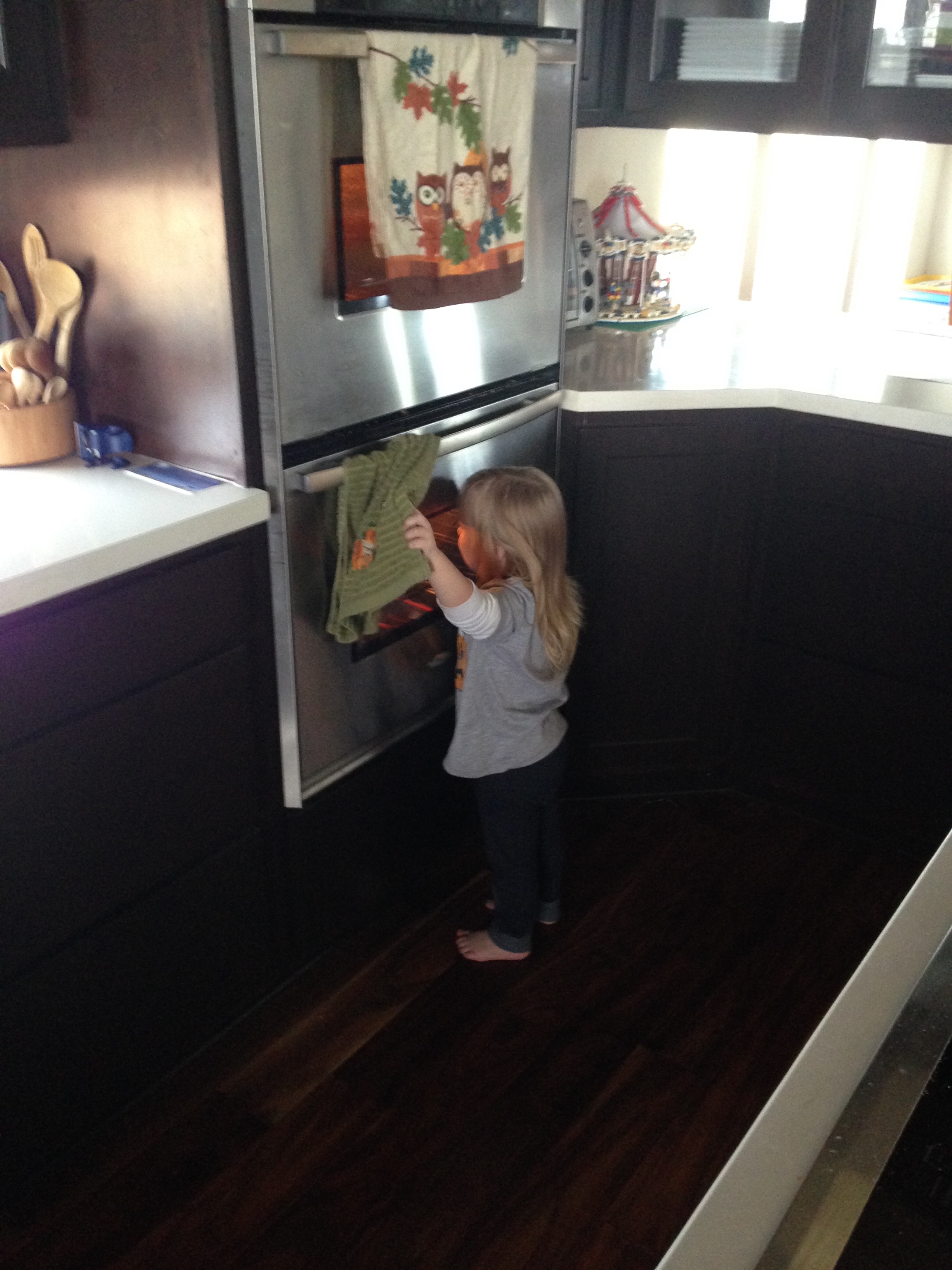
We talked about how hot the oven is, and she did a good job of staying back while I put it in.  I put it in the bottom oven so she could go back and check on it throughout the hour that it was in.  She checked it FREQUENTLY, to say the least.  It was so cute to see how proud she was of her dinner she had made!  So I know you’re wondering… did she eat it?  Well… no.  This is the girl who doesn’t like her food to touch.  She LOVES eggs, sausage, and tator tots… but they have to be separate on her plate.  Sigh.  She ate a few of the tator tots that had been on top.  But that was it.  I’ll keep trying.  This mommy isn’t giving up.

IMG_9753

Want the recipe?

Tator Tot Breakfast Casserole

1 stick butter
1 32 oz (approx) package tator tots
1 dozen eggs
1 cup milk (I used coconut milk so she would try it – she knows regular milk in it’s uncooked form makes her sick, so I didn’t want her to think that this wasn’t made with her in mind… despite the fact that she has no problem with milk that is cooked in.)
2 cups shredded cheese (I did not use this baked in the recipe like usual – because she does have problem with cheese, even cooked.  So, after it came out of the oven, I added cheese on top of half of it and it melted in.)
2 cups browned sausage or diced ham

Melt butter in a 9×13 pan.  Spread 3/4 of potatoes in pan.  Beat eggs and add milk, cheese, and salt and pepper to taste.  Pour over potatoes, then top with remaining potatoes.  Bake 1 hour at 350F if all thawed – if not, add 15 mins.  Note: the grease from the butter and sausage will rise to the top, and can easily be poured off of the casserole before serving.  You could also simply spray your pan with a spray and omit the butter – though I do believe it adds flavor.

Wacky Wednesday

Oh this girl.  I love her so.
  • Saw on the video monitor – she was making her car shoot up “Up up to the moon and leave gravity behind!  Bye bye gravity!  Bye bye Earf!”  Seriously.  Where does she get this stuff?!?  So later, I asked her later why she was flying her car to the moon and she said, “It doesn’t rain on the moon.  But we leave gravity behind.  Bye bye gravity.  I take the spider wif me.  Cuz it doesn’t rain.”  (The its bitsy spider book was open on the bed.)
  • “Where’s Daddy went?”  This girl is ALWAYS looking for Daddy.  I reply, “Daddy’s at work.”  “Oh.  He come home soon and see Becca Boo.”  Yup.  That’s the plan!
  • Cody’s parents visited this past weekend.  His mom came first, and his dad came later.  After she woke from her nap, he was here.  “Pappy is here?  Where is he?”  Me: “He’s in the shop with Daddy.”  Becca: “Oh!  They to-geyer in the shop.  We go say hi to them, Mommy!  Less go!  I need new diaper firs.”  I love how she talks.  And I love how excited she gets to see people.  And I love it when she’s actually willing to get her diaper changed… someday, before college, she’ll be potty trained.  I’m sure.  I hope.
  • At the Trader’s Village: “Can we ride the horses?  PLEAAAASSSEEEE?”  She LOVED the carousel.  And, she has re-defined begging with the world’s longest “please” and pleading eyes.  It works.
  • Recalling the Native American dancers after the fact: “They play a big dwum, Mommy.  It was loud.”  and “They danced ‘round and ‘round but they not fall down.”  Apparently they are Weebles.
  • Said to her Daddy when we were at the bridal fair, and his dad headed out: “Pappy goes down the driveway to see Mommy and Mamie.  I miss him.”  I love her heart.

IMG_9683 IMG_9685 IMG_9701

At the Native American dancing event at Trader’s Village.
Left – she watched SO intently.  Especially the jingle dancers.
Center – She enjoyed sitting with Mamie and Pappy part of the time, and had to tell him all about what he missed when he went to get a snack.
Right – Since we didn’t know what to really expect, I had Grayson in the Lillebaby, and just took the umbrella stroller for Boo.  She decided to take George for a ride part of the time, and pushed him almost the entire width of the place.  It was super cute… but also SUPER SLOW.  Bless Cody’s heart for walking with her.