Nature Photography Art

steam activities header

Today’s Theme: Science, Tech, Art, Math
(yup, 4 for the price of 1… and technically, you could say it’s Engineering too if you use your items collected to build something…!)

With my life as crazy busy as it has been lately, I’m going to be perfectly honest with you that we’ve been doing a lot of super free, unplanned play.  Like watching a lot of Sesame Street.  And Creative Galaxy.  And Super Why.  And building train sets.  And marble runs.  And working puzzles.  And coloring in coloring books and on plain paper.  Ya know, the ordinary, unexciting activities that make up MOST of our normal lives.  Not a whole lot worth blogging about and saying “wow, isn’t this fantastic?  Don’t you want to do this with YOUR kids?”  HA!  But, I know that one of the things my readers comment on the most is how they feel inspired by what I share.  And honestly, that is humbling.  And it helps hold me to a higher standard for my own kids.  And I appreciate that.  Maybe it’s something about turning 31 today (really?  31?  I remember when 30 seemed ancient… and now 50 doesn’t sound that old…), or maybe it’s just because my life has been so crazy that I’ve had to think about hitting the “reset” button on our school time… but for whatever reason, I came up with a super fun, EASY activity to do with Becca this past week that she absolutely loved.  And hopefully your kids will too!  (And hopefully I can come up with some more fun ideas very soon!  Might be time to pull out my Raising Creative Kids book again and snag some more ideas from Colleen!!  Have you gotten her book yet?  OMG.  You need it.  You really do.  The link is on the right hand side of this page… or at the bottom if you’re on a mobile device.  And yes, it’s an affiliate link, so I make some dough from your purchase – THANK YOU!)

Wow.  That might well have been the longest run-on paragraph I’ve ever written here on my blog.  Thank ya’ll for sticking with me through that!  HA!

And now to the nitty gritty – Nature Photography Art!

Becca LOVES to get out in our yard and explore.  We are so blessed to have some amazing land for her to roam around on, and even more blessed that we’re on the edge of Texas Hill Country, so our wildflowers each Spring are just simply incredible.  With zero work on our part.  God just paints our land every single year for us, and we are so blessed!  Cody and I both love to take nature photos – it’s one of the things that we first found that we had in common when we met.  So our kids see us take pictures of flowers and trees and butterflies and random rock formations ALL. THE. TIME.  And Becca often asks me if she can take the picture.  But I hesitate to let her hold my phone outside – especially on a day like the one when we did this activity – because the ground was moist and there are random rocks… ya know, my luck I’d hand her my iPhone 6 Plus and she’d drop it face down into a mud puddle with rocks at the bottom (I know Apple Care is great, but…)!  So I came up with this idea to get her involved, let her take nature photos, and yet do it in a structured environment.

IMG_8425I took this photo in our front yard while we were working on collecting our flowers for this project.  The butterflies were fluttering EVERYWHERE, and the Indian Blankets are just gorgeous!

Here’s what you’ll need to do this activity:
A bucket or basket of some sort
A source of wildflowers, leaves, grass, or rocks
A sheet of white butcher paper
A good lamp
A magnifying glass
A digital camera of some sort that you are willing to let your child use
Optional extension:  A computer with internet for photo editing (I use PicMonkey.com)

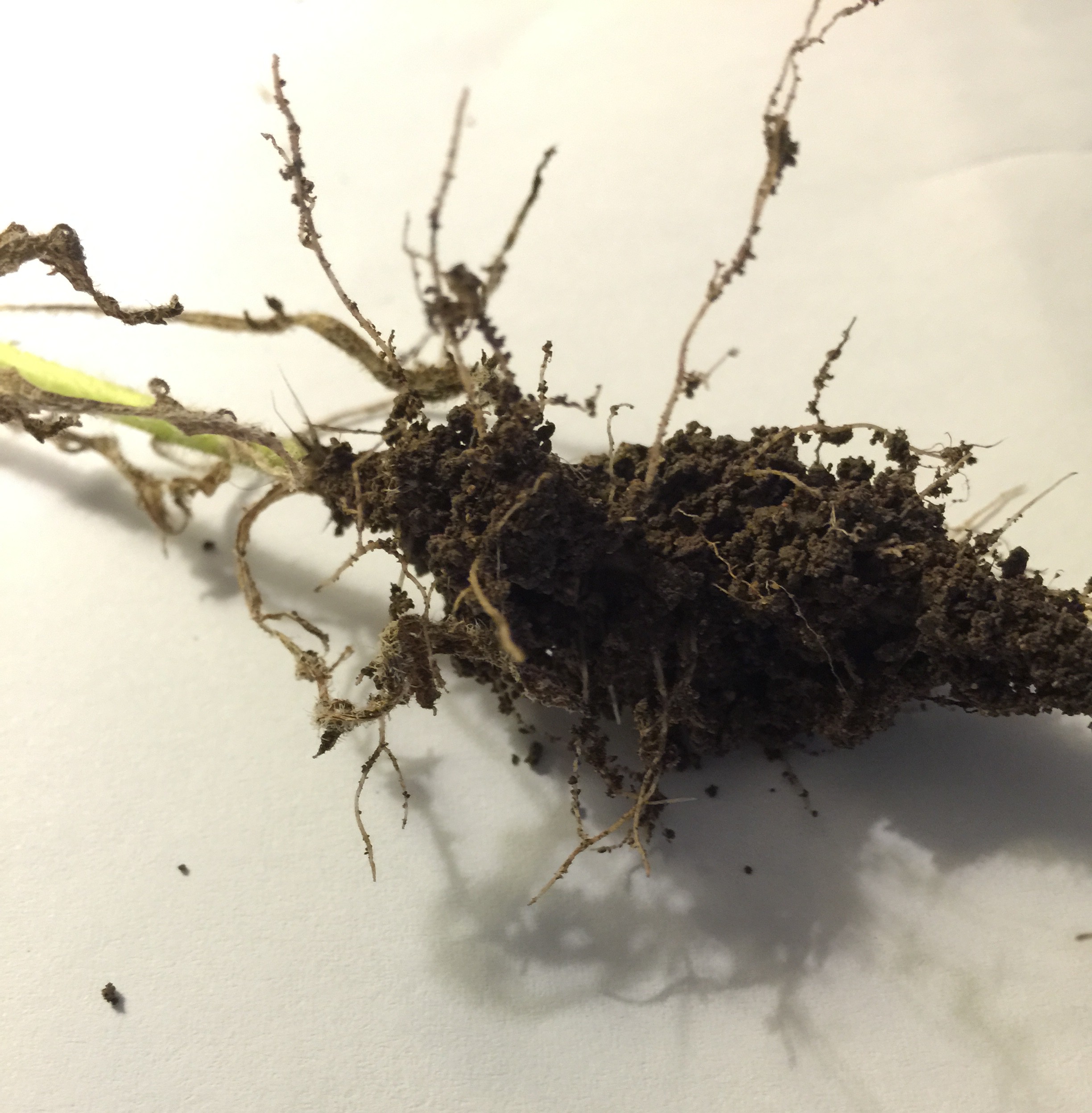
So just take your bucket to your source of nature, and collect objects.  It can be ANYTHING.  Any small piece of nature can be a fabulous source for photography.  Keep in mind that live objects such as caterpillars are harder to photograph – especially for kids – because they are a moving target.  So encourage your child to select STILL LIFE objects.  You can explain that still life is a type of art that depicts objects that are alive, but not moving.  Flowers don’t get up and walk away.  Nor do rocks or grass.  So they work great for this project.  Try to pull an entire wildflower plant up – root and all – to examine with your child.  If that’s not possible, no worries, but it certainly extended our conversation GREATLY to have a couple full plants.  We talked about the parts of the plant while out there in the yard, and also again once we got into the house – a fabulous science lesson.  You can totally do this with rocks as well, and get into discussing and sorting the features of the rocks, and create a rock collection box.

Once your basket or bucket is full, head inside and lay out your white butcher paper.  Set up your lamp and grab your magnifying glass and camera – the fun is about to begin!  Start laying out your objects on the paper.  You can talk about their shadows, their colors, examine them close up, and watch the paper closely with your magnifying glass as lots of teeny tiny little bugs will crawl off of the flowers and begin to explore your paper.  This is a fabulous time to talk about the features of the camera with your child – especially how to make it focus.  If your little one has shaky hands and you’re using a phone for your photos, work as a team – you hold the phone, let your little one select where on the screen to focus, and push the shutter button to snap the picture (that’s what we did).

Try laying your objects out in all different ways – you can get as creative as your child wants.  You could spell nature words with your objects, you could spell your child’s name, you could build something with your rocks, or you could just do random grouping nature shots.  Encourage your child to try holding the camera closer to an object and farther away to see the difference in the two shots.  How does the shadow look on the screen?  Can you move your camera to a different location to make the shadow longer or shorter?  Etc.  The possibilities with this activity are ENDLESS.  And totally repeatable!!  Just collect different objects each time, and you can do this activity over and over and over.

If you want to extend the activity further in the tech area and your child is really into it, you can easily upload your photos to your computer and check out www.picmonkey.com (totally not an affiliate link, I just love them so much and use their site for everything!).  Try making a collage of your photos together, or even play around with their favorite photo to make a sign for their bedroom door, an inspirational saying for their bathroom mirror, or add text to several of the photos to create a book that you can print out and stick in a 3 ring binder for them.  You could also do this activity throughout the seasons and use these photos instead of paintings for your 2016 calendar!  You could also add some math to this activity by measuring each flower and sorting them by length!  The possibilities of where you can go with this activity are truly limitless, and think of the OWNERSHIP your child will have in this project – and the fabulous opportunity to do something one on one with your child.  (I know I’m frequently looking for something special I can do with JUST Becca so that she feels special and grown up.  We did this while Grayson was napping.  If your younger child doesn’t nap anymore, you can easily have them go on the hunt with you and collect their own items in a separate basket, then give them white paper as well and let them play with the objects.  They could draw ovals around them with crayons, count their objects, and sort by color, just to give you a few ideas.)

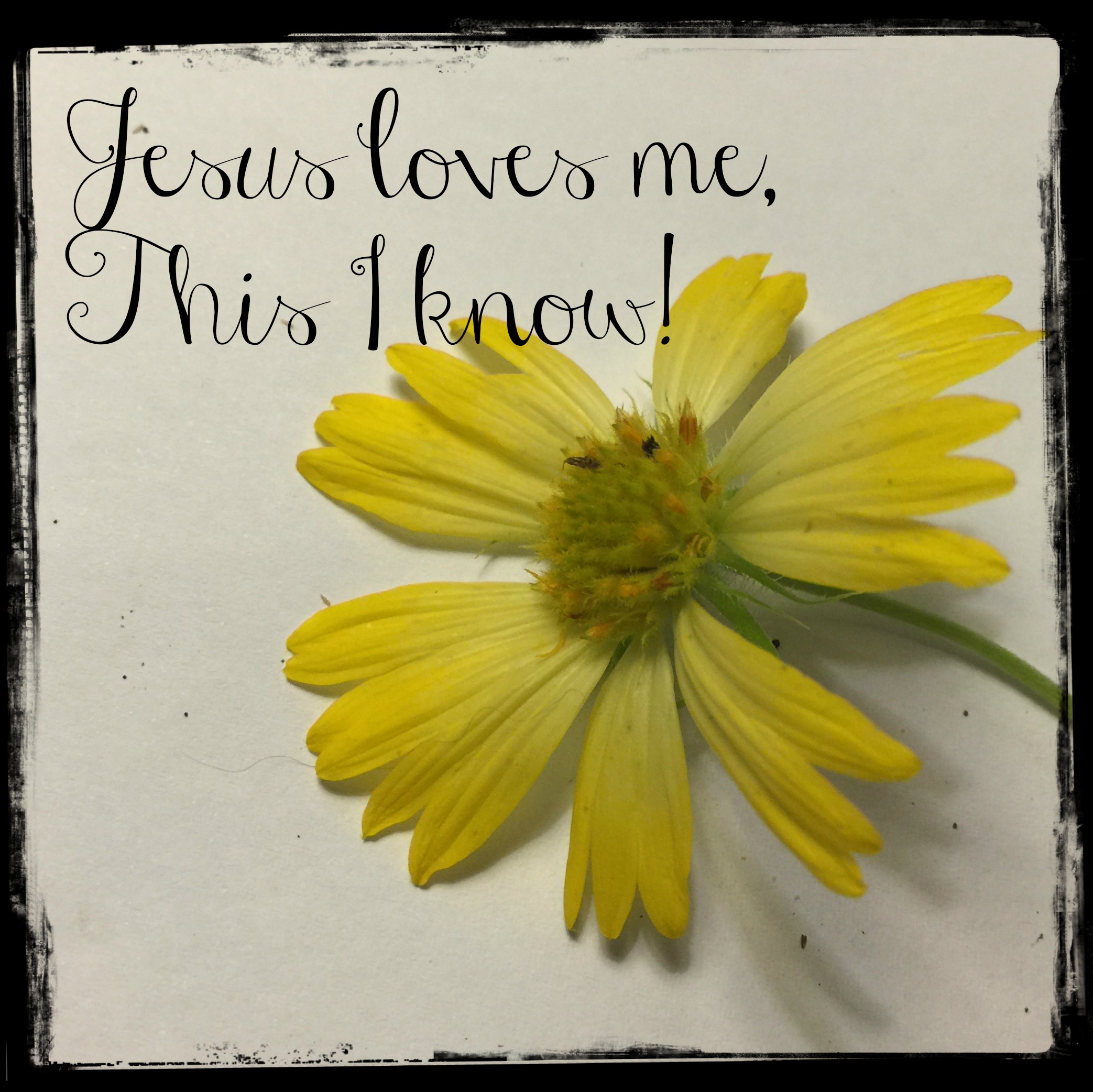
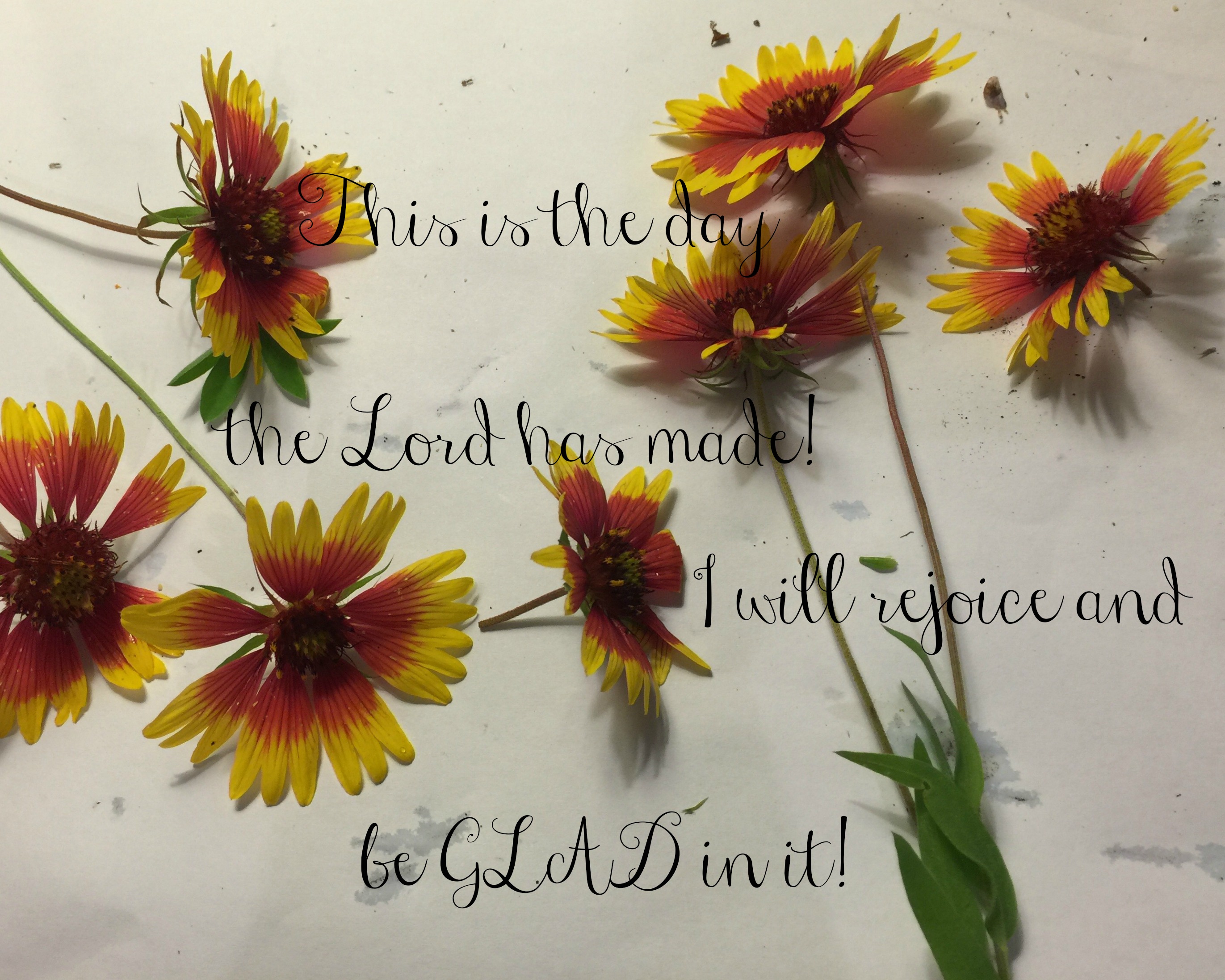
Here are some of the beautiful pieces we came up with together:
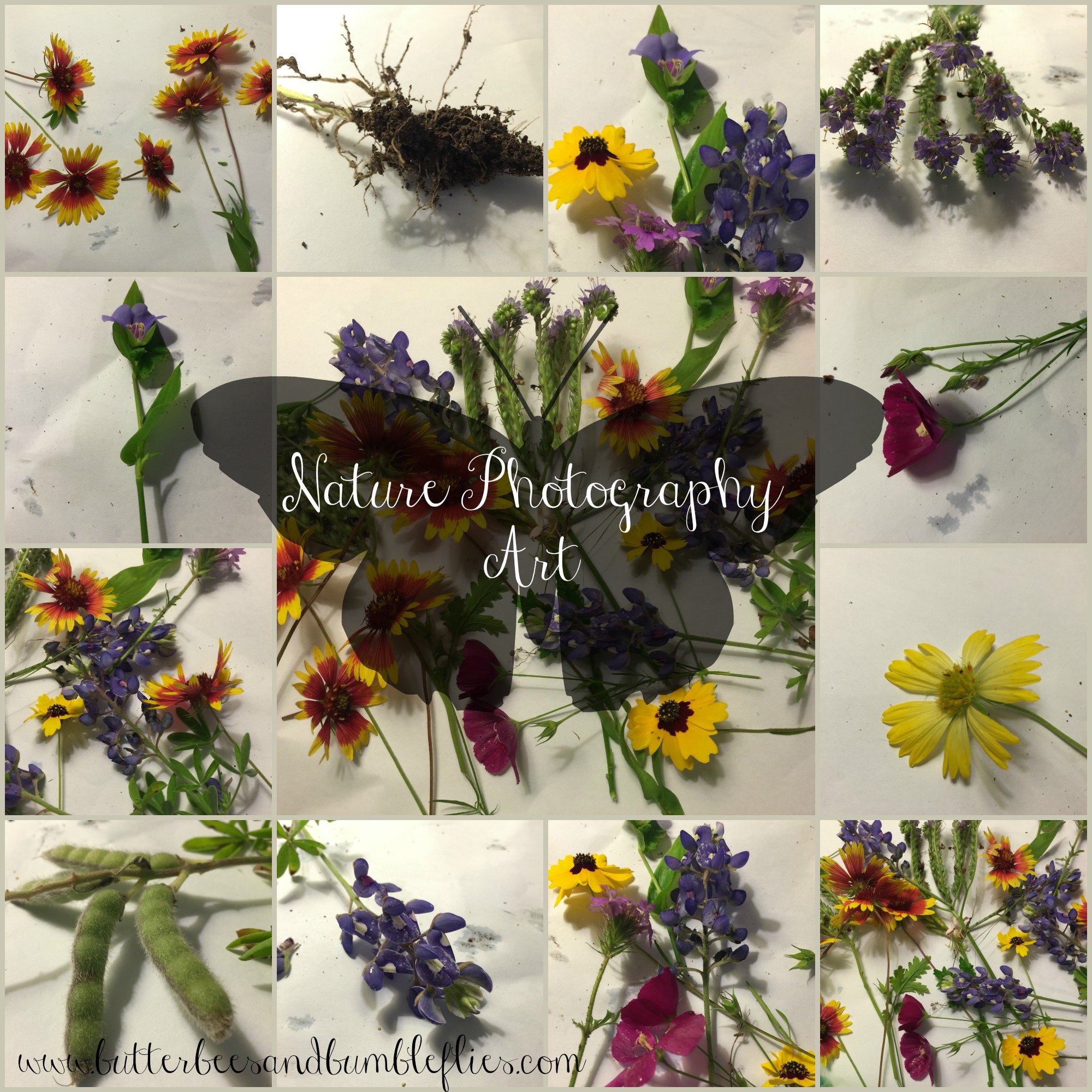
apr 30 nature photography art

Jesus Loves Me

rejoice

Becca Door SignI am truly so excited about this activity, and I can’t wait to do it with her again with other objects and different flowers!!  I especially loved her root picture (she wasn’t that fond of it, but she loved examining the roots and playing with the shadows!)  IMG_8446
 

I hope that you will try this activity with your kids, and that you’ll SHARE your results on my Facebook page!!!  I would love to see what you are doing!!!  Check back next week – I’m hoping to get more posts up before then for the start of our next new month!!
Teaching Reading from Day 1 – Sight Words

teaching reading series

Looking for last week’s post from this series?

What are sight words?  They are words that we just know to look at them.  And we know what they mean without thinking.  Right now, as an adult, your sight word vocabulary is probably in the thousands of words.  Maybe even hundred thousands.  And, they are based around your specialty.  If you are a scientist, or in the medical profession, you have hundreds of sight words in your vocabulary that would be words I would have to sound out using phonics or other reading techniques, and I’d have to look up in a dictionary.  If you are an engineer or mathematician, you have a different set of sight word vocabulary.  And lawyers, well, that’s a whole other set.  I love to cook and bake, so my sight word set includes words like rigatoni and fusilli, parboil and blanche.

But as a child, we start as a blank slate.  And there are basic sight words that can’t be sounded out phoneme by phoneme (fo-neem = sound by sound).  And there are words like the word phoneme that don’t sound like they look.  We have to be taught at some point that p and h together say /f/.  So where do you start?  Obviously singing the alphabet with your child is awesome.  But beyond that, you can begin working on letter sounds with your child.  (I’ll do a whole other post on teaching letters and sounds, I promise.)  And you can start introducing the basic sight words they’ll need to know.  You can usually find some little picture cards with words on them at Dollar Tree.  They’ll have a picture of a cat and the word “cat” on the card.  These are fabulous.  You can write words on index cards like “tv,” “couch,” “fireplace,” and “fish tank” to post on those items around your house (if you chose to do this… I personally don’t like labeling my whole world.  Some moms love this idea, which is why I shared it.)

You can also find a great set of what are determined by professionals (Dolch and Fry are the most common) to be sight words in flashcard form here.  Different schools use different lists.  But if you are working with your child ahead, then any list you work on is fabulous.  The more words your child can become accustomed to, the better.Snip20141022_11

Am I saying you should drill your three and four year olds with flash cards to prepare them for kindergarten?  NO!  But these “flashcards” are a fabulous way to keep the words present in your child’s mind.  Perhaps you post a couple of them random places in your home – maybe one on the refrigerator door with some magnets so your child can build the word occasionally.  Perhaps on the mirror where he or she brushes her teeth.   Maybe put one on the garage door, and read it as you go out to the car.  Or maybe you want to get really fun and build words with “skeleton bones” – check out this super fun word building idea from Jamie over at Hands On As We Grow.  You can easily put three – five sight word cards on a tray with the “skeleton bones” and let your child practice building the words.  Nothing says you have to take these cards and hang them on a “word wall” alphabetically.  But you could.  Totally up to you and how interactive you want to be with them – remembering that the more FUN interaction your child has with a word, the more likely it is to become a member of your child’s sight word vocabulary.

You can also use them with your older child to begin basic alphabetizing skills – presort the cards so that there’s only one word that starts with each letter, then add more in as their skills increase.

Come back next Friday as we explore a different kind of sight words – called “Environmental Print.”

Kindle Fire HD for Kids – Product Review

Travel Tip Tuesday

This post contains affiliate links – thank you for your participation!
Pardon my screen shots – these are NOT formal photos from Amazon – they are my own pictures taken of the screen.

This week, as promised, I’m providing a product review of the kid’s version of the new Amazon Kindle Fire.  After having used it with Becca in the car a few times now, I’m really pleased to say that it’s a wonderful product – and definitely makes it on my list of “travel must haves” for kids!  Still a few kinks we need to personally work out… but here are my thoughts for you.

IMG_9811

Here’s the product we purchased: Fire HD 6 Kids Edition, 6″ HD Display, Wi-Fi, 8 GB, Blue Kid-Proof Case (available in blue, green, and pink)
Here’s the link to the screen protectors we purchased (they don’t come with the Kindle, and I feel like they are really necessary): Clear Screen Protector Kit (3-Pack) for Fire HD 6 (4th Generation)
And here’s the link to the kid headphones we purchased to go with it: HeadFoams Headphones for Kids, Purple  (available in blue, orange, and purple)  Note – she doesn’t like to wear any headphones on her head yet.  Still gotta work on practicing wearing them and getting them to fit exactly right before any long drives in the car… it drives me nuts to hear songs on her Kindle mixing with my songs on the radio… But we selected THESE headphones because of their durability and the fact that they are made for kids – they have a decibel setting that doesn’t allow them to be turned too loud for kid’s ears!!!

IMG_0055

What we like about the Kindle so far:

  • It’s relatively easy to figure out how to set it all up – you’ll just need your Amazon log-in and password, and your wifi log-in and password.
  • With Amazon FreeTime included, it’s super easy to search through thousands of books, apps, and videos that are free to download for your kiddos.
  • It’s easy to add Kindle books you already own to the Kindle, or to purchase titles that you want for your kids that aren’t included in FreeTime
  • FreeTime includes LOTS of nonfiction books, including some nonfiction easy readers that have fabulous pictures!
  • I love how easy it is for her to use and flip between apps and such – it’s great for the car, airplane, or train because you don’t have to be available every two seconds to “fix it”!!  (Note: there IS a learning curve to it, as with anything – and we still do some “fix it” stuff when she gets stuck, but it’s nothing like the every two seconds when she would use my phone and then want to switch to a different app, and I had to worry about what else she might get into or end up buying!)IMG_9939
  • The SuperWhy app is fabulous – games that encourage lots of different alpha/reading skills, and apparently it’s easy to navigate because Becca flips around in it like it’s no big deal.

IMG_0053

  • I love that there are several Sandra Boynton apps for kids – where the illustrations are interactive, and the book is read to them.

IMG_0054

  • I can put all of the books, apps, and videos that I want her to have access to on the home screen, and that’s enough for her to do that she hasn’t even clicked on the other options where she could go and download things herself.IMG_9918
  • IF she does try to download something, it’s only something that is available for FreeTime (aka doesn’t cost anything – FreeTime is included the first year) and is kid-safe.
  • The carousel at the top shows what has been opened – in most recent order – so it’s easy for me to look and see what she’s been looking at.  It’s also easy for me to remove items from the carousel – so I if I want the carousel to just show what videos she has available, I can do that.

IMG_9920

  • It’s so nice to be able to read her a book in the car without having to hold onto it and flip the pages and then pick up another book – I can just hold the Kindle or rest it on the back of the driver’s seat (or Cody can if he’s the passenger and I’m driving)!
  • I LOVE LOVE LOVE the parental control options!  If we notice that she’s spending more time than we’d like just watching videos, we can turn that option off, or set a timer for it!

IMG_0051IMG_0052

  • You can also set up profiles for other family members, with other parental control options – or just use it as a regular Kindle Fire – all through a parental control password that you self-select.  So, you can set it up for your kids, but also use it yourself… and not need to buy a separate one for everyone in the family!  Set those educational goals for the day, and when they have been met, it will tell your child on the screen… and it won’t work again until they give it to you to pass it on to the next child to meet their own goals under their profile.
  • I also love how much we can be interactive with her while she’s using it.  Not only can we use it to read books to her (in the car or anywhere), we can also play the games with her, or sit and watch the videos just like we would sit and watch tv together.  It is super fun to snuggle up together with the Kindle!  Here she is, snuggled up with Daddy – playing in the Super Why app:

IMG_9938

  • The key factor in us deciding to buy it was not only the price (it’s a steal at $149), but also the fact that in the first two years, it doesn’t matter WHAT she does to it… if it breaks, they replace it – NO QUESTIONS ASKED!

What we don’t like about the Kindle so far:

  • Videos don’t work without a wifi connection… making them impossible on long road trips.  We are still trying to figure out a way around this – like setting up a wifi hot spot or something like that.  It also seems that some apps don’t work without wifi…
  • The screen touch/click isn’t as sensitive as my Apple products… so I tend (and Becca tends) to get a little frustrated when I touch something but not precisely on the right spot, so it doesn’t respond.  We’ll just have to get used to this.
  • I’m discovering that most of the FreeTime books are for tv characters or more comic-type books, and didn’t find any of our favorite titles available for “free”.
  • Several of the books make it hard to get back to the home screen, and/or are hard for her to “turn the page” because the place to grab and swipe is right on the edge of the screen… but, it’s working on her fine motor skills, and soon she’ll be able to do it without a problem, I’m sure!
  • The battery goes down MUCH faster than my regular Kindle Reader (but then, it makes sense that it would since it’s doing a WHOLE lot more than my Kindle Reader).
  • UPDATE 11-10: The most frustrating small thing we’ve found is that each app/book has it’s own way to get back to the home screen.  So either you have to pull down from the top to get the house to appear on the right, or you pull from the right to get the house to appear.  This may not seem like a big deal – and it wouldn’t be for an older child, but when Becca switches apps, sometimes it’s because she’s frustrated that she hasn’t won the game or been able to do all the activities to the precision she would like.  So she’s already frustrated, and then she can’t get out of the app.  It would be so nice if it just had a home button like our Apple products!!!

So yes, there are a few downfalls – the wifi being the biggest one – but overall, it’s a fabulous learning resource, and will be FABULOUS on trips so we don’t need to haul a bazillion books with us.  Our car is still, of course, loaded down with those mini Chick-fil-a books, and a ton of Highlights Hello Magazines.  That won’t change.  We have a MagnaDoodle too.  That won’t be going away.  Our intent isn’t to take the Fire with us everywhere – in town, it stays at home.  It’s just for those trips that are over an hour long… or can also be used to entice our hard headed child into the car when we need to go somewhere… and then not come back out on the way home…lots of parenting flexibility.  Becca loves to look out the window and watch the traffic lights and such, so I don’t see it becoming something that she is so glued to 24/7 that she begins to miss the world around her, but I could see how that could be an issue for some kids because it is a very enthralling product.  That’s why I think it’s so great that the parental controls will truly TURN OFF THE KINDLE when you want your child to be done with it.  And I think it’s awesome that you can set different rules for weekdays vs weekends – for those kiddos who are school aged and need a lot more restrictions during the week to ensure they are getting to bed on time/getting their homework done/etc.

Definitely a fabulous product, and I highly recommend it.

Order yours today – using the easy links above!  Or, comment with your questions – I’m happy to answer anything I can about this product!

Teaching Reading from Day 1- Introduction to Books

teaching reading series

I think many times as educators working with our own kids, we can lose sight of the fact that other parents who are trained in different specialty areas might not know all the things we know about how to inspire reading in their little ones.  SO, if you are an early childhood educator, this post series isn’t for you.  If you’re a parent that has expertise in an area I know nothing about, this post is totally for you.

Have you ever wondered when you should start reading to your kiddos?  Day 1.  Seriously!  Even your newborn loves to hear your voice.  Never hurts to read to them when they are on the inside, either!  I read to Becca daily when she was in the womb.  And, by osmosis of me reading to Becca a bazillion times a day, Grayson got read to when he was in the womb, too.  Even more than she did.

I love reading to my kids.  I love reading out loud.  I love the way a good poem or rhyming book just rolls off my tongue.  (Our latest “favorite” book around here came from Becca’s Mamie – it’s called Room on the Broom, and if you haven’t read it, you REALLY should.  It’s a GREAT read aloud book. – aff link, thank you!)

But maybe you don’t.  Maybe you feel like you’re putting on a show and you kind of aren’t the best actor.  Maybe you struggle over reading, and when you read a poem or rhyming book, it doesn’t have that magical lilt the author was going for.  THAT IS OK!!!  Really?  Yes, really.  Because the more you read out loud, the better you will get, for one thing.  And for another thing, your child is not really the biggest critic in the room.  You are.  Your child just loves the fact that you are spending time with him/her.  The book will take on a magic of its own simply because the two of you have opened it together.

You might not remember learning to read… we were all relatively young when it happened.  A lot of water has gone under the bridge.  And, if you’re not an educator, you might not remember all the steps that it took to get to that successful process.  Hopefully this will help.  Don’t let it overwhelm you.  Try adding a few things at a time to your reading time.  And if you don’t already have a reading time with your child, it’s never too late to start!  Simply bookmark this post and come back later when you are ready to start adding another skill to your “teaching” time.

So, beyond the words and how they come out of your mouth, what can you do to start teaching your child book orientation and reading basics from early on?  It’s never to early to start placing a book in your child’s hands or holding it in front of them correctly and saying simple things like “This is the front cover.  Here is the top, and here is the bottom.”  Did you know that when I taught kindergarten in public schools, that was a skill many of the kids did not have (even when I taught in a very affluent neighborhood)?  Basic book orientation.  Hand your three year old a book upside down and backwards, and he or she should be able to turn it over to the front cover and fix it to be right side up.  But yet, many kindergarteners can’t do this.  Because they haven’t been read to at home.  They don’t know where a book begins.  So work on that one.  It’s a skill they’re gonna need, and they won’t know it if they aren’t shown.  Daily.  Don’t expect them to get it the first time.

Then, once your child gets that skill, you can talk about the parts of the book some more.  More than just top and bottom, you can talk about the front cover, the back cover, and the spine.  For your older kiddos (or kiddos who have really strong book knowledge), you can start talking about the title page, find the author/illustrator name/s.  And ultimately, hand a book to your child – upside down and backwards – and ask “where do I start reading.”  The goal here would be for your child to turn the book over, orient it correctly, and then open to the first page of the story and point to the first word.  You aren’t going to get here without some daily instruction.  So, each time that you sit down to read, take just a second and say, “ok, let’s see. This is the front cover.  The title is ____.  (and point to it!)  The author wrote the words and his/her name is _____. (and point to the name)  The illustrator drew the pictures and her/his name is ______. (and point to the name).  Here’s the title page.  It has the same information.  (if applicable – here’s the dedication page.  The author wrote this book especially for ___. and read the dedication). Ok!  Here’s where the story starts!  (And point to the first word).

As you read to your child, use your finger to track the words.  I know this painstaking.  Sometimes I don’t do it.  But now, when I don’t, Becca usually takes my hand and makes me point to the words.  What’s the point of this?  It teaches your child several skills.  They’ll learn the most basic principles of “left to right” tracking on the page.  They’ll also learn that we start reading at the top – you don’t just randomly select a word and start reading in the middle.  They’ll also learn “left to right” page tracking – we always start on the left-most words.  If those happen to be on a page that is on the right side of the book, that’s ok – but usually they are on the left page.  Remember that we learn by doing, but we also learn by watching.  And your children are looking to you for direction on what to do.  Pointing to the words might be frustrating, but it helps.  A lot.

Not only does it teach tracking, it will also ultimately begin to teach your child sight words, which my post next Friday will discuss.  I hope you’ll come back and check it out.


Food Pouch Lid Activities

I’m sure I’m not the first to create a post about what you can do with all those little food pouch lids… because I’m sure there are a LOT of parents out there who have them coming out of their ears!!!  (I know I shudder to think how many we just threw away before we were saving them… sigh.)  So… if your kids eat anything from a pouch, SAVE THE LIDS!  These are just THREE of the activities you can do with these – not to mention color sorting, using them for counters for addition/subtraction, etc.

Fall Tree Activity – See my blog post yesterday for this fabulous activity – where your child matches numbers to encourage recognition out of order.  And just a side note – you realize you could do any numbers you wanted – it could be 50-70 or 80-100 (although you’d have to write really tiny to fit three digits on the center of one of those lids, you could easily write the number on the side – and go as big as you want!)  OR – what about this extension for your older kids?  Write an addition, subtraction, multiplication, or division problem on the side of the lid, and they have to match it to the answer on the tree!  Again, color coding helps make it a little easier, so if you have two or even three colors of lids that are fall leaf colors, that would be awesome.  Or, make it more challenging by making all your leaves/pouch tops the same color!

IMG_9284

Imaginative Play Activity – Build your family!  Did you ever think that you could make people with these little pouch tops?  And houses?  Becca loves to build with her pouch tops, so one fun activity was to make our family.  I drew faces on four lids, and then we stacked them up by height to create our family!  Now, you could take it a step further and hot glue them together so they could walk around and go into their house, etc.  But Becca enjoys building the people over and over.  She searches through and finds the faces, and then builds them over and over again.  She knows Mommy and Daddy are four pouch tops, she’s three, and Baby Grayson is two.  So it makes a great counting activity, but stacking them is also great for her fine motor development – because by the time she has three stacked up, she has to be very careful to not knock them over!  She loves building castles and houses for her people, as well!  Super fun.

IMG_9113

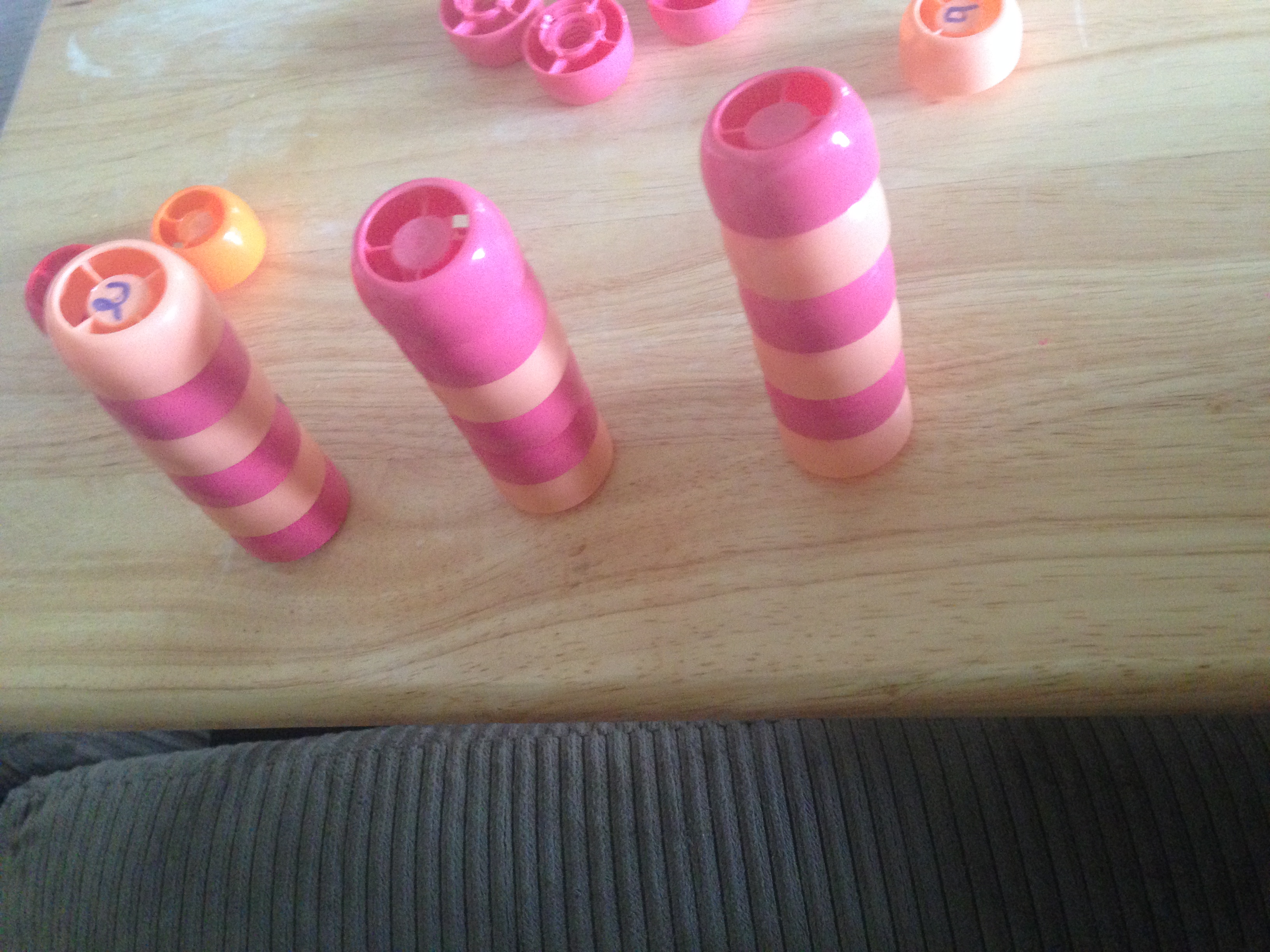
Patterning – I think another fabulous thing we have done with these is using them to create patterns.  Patterns are all around us in our world, but to recognize and create patterns is an important skill we must first be taught.  Becca is a huge fan of patterns – she’s always wanting me to make harder patterns for her to complete.  Sadly, she’s only a fan of three or four different kinds of pouches… so we can’t make patterns with very many colors of pouch lids, but that’s ok!  We use what we have!  If you aren’t familiar with teaching patterns to children, you might be interested to know that once in school, your child will learn to “name” their patterns with letters.  You can start coordinating this and teaching your child early to name their pattern.  For example, the patterns in this picture are named (L to R, bottom to top) an AB pattern, an ABB pattern, an AB pattern.

IMG_9116

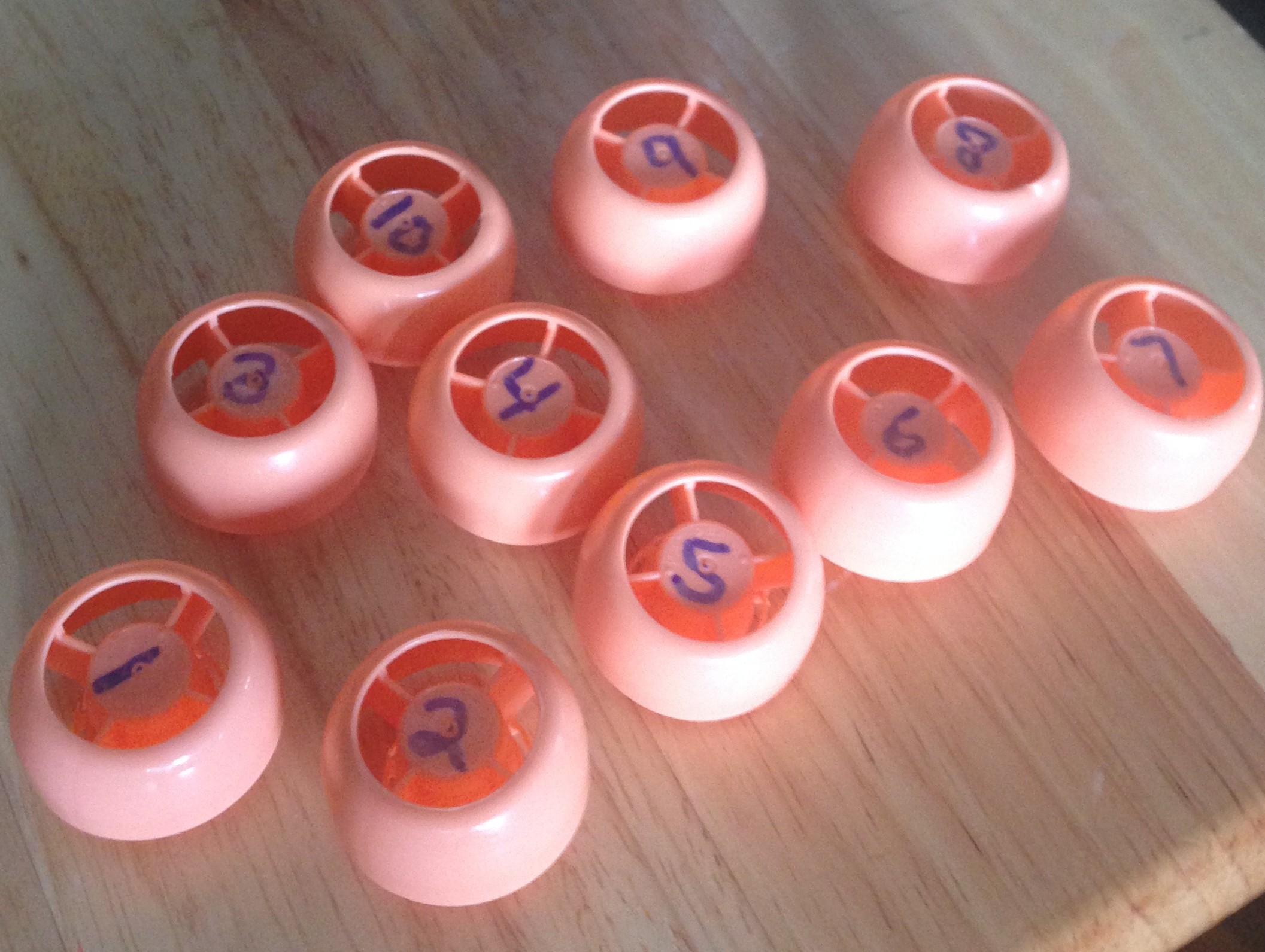
Counting/Ordinal Position/One-to-one Correspondence – I’m always a fan of using REAL LIFE objects to help teach little ones to count.  So, it’s as simple as what I did for the fall tree – put the numbers that you want to work on on top of each lid.  Then your child can use them to make a number line, putting each number in it’s correct spot; they can use the numbers to count the lids and see how many they have; and it’s also helpful for those who like to just keep counting, and struggle with One-to-one Correspondence.  Becca used to really struggle with that.  There could be four of an item, and she’d put her finger on each of the four and count to four, but then keep touching the items and count however high she wanted to count.  She still does that occasionally – with a grin on her face because she knows she’s doing it wrong.  What really helped her to understand this concept was to count items that had a number on them.  She would touch the number, and say it.  When she ran out of numbers, she was done counting.  This activity might help your child if he/she struggles with this concept as well.

IMG_9115

Alphabet Matching/ Ordering / Word Building – Another activity that I want to do with her soon (as soon as we have enough more pouch lids) is taking these over to the Language Arts side of things, and putting the letters of the alphabet on them.  You could put an upper case letter on one, and lower case on another and match the upper and lower case together.  You could simply practice putting them in order.  Or, what I’d really like to do, is to start word building.  Pre-program lids to have the letters you need to build basic sight words, or high interest words – for any age child.  If your older child is super into dinosaurs, save up a bunch of pouch lids and make enough to spell out types of dinosaurs!  The possibilities are endless.  If you are doing word building, I recommend having a pre-printed sheet of words that your child can use to spell from the pouch lids you’ve made available.  Have him/her build the word on the mat right next to the pre-printed word, or if you have space, ideally, they would build the word right on top of the word you’ve pre-printed.  So you’ll have to check your spacing.  I’ll be working on creating some of these for basic sight words SOON, and will share the printable when I have them created. 🙂

Do you have more food pouch lid activities that you’d like to share?  Post them over on my Facebook page!  I’d love to see what you are doing, and would love to have you be a part of the Facebook community I’m attempting to build! 🙂  (Be sure to click “like” over on the right-hand side of my blog! 🙂 )